# Integrating with Zapier

Learn how to integrate Participant Kit with Zapier.

Source: https://participantkit.com/help/courses/admin/integrating-with-zapier

<h1>Integrating with Zapier</h1>

<p class="text-lg mt-6 text-gray-600">Zapier is a service fo creating workflow automations between different apps. For example you could use Zapier to post a message to Slack or book time in Calendly whenever someone agrees to consent.</p>

<h2 class="mt-6 text-gray-600">How to I connect Participant Kit to Zapier?</h2>

<ol class="mt-6">
  <li class="pl-0">
    <div class="relative -ml-8">
      <div class="relative flex space-x-3">
        <div aria-hidden="true">
          <span class="h-8 w-8 rounded-full bg-gray-600 text-white flex items-center justify-center ring-8 ring-white">1</span>
        </div>
        <div class="min-w-0 flex-1 pt-1.5 flex justify-between space-x-4 -mt-7">
          <div>
            <p class="text-lg text-gray-600">
              Click
              <a href="https://zapier.com/app/connections" class="btn btn-primary btn-sm" target="_blank">Setup on Participant Kit on Zapier</a>
              (takes you to "My Apps" in Zapier)
            </p>
          </div>
        </div>
      </div>
    </div>
  </li>
  <li>
    <div class="relative -ml-8">
      <div class="relative flex space-x-3">
        <div>
          <span class="h-8 w-8 rounded-full bg-gray-600 flex text-white items-center justify-center ring-8 ring-white">2</span>
        </div>
        <div class="min-w-0 flex-1 pt-1.5 flex justify-between space-x-4 -mt-7">
          <div>
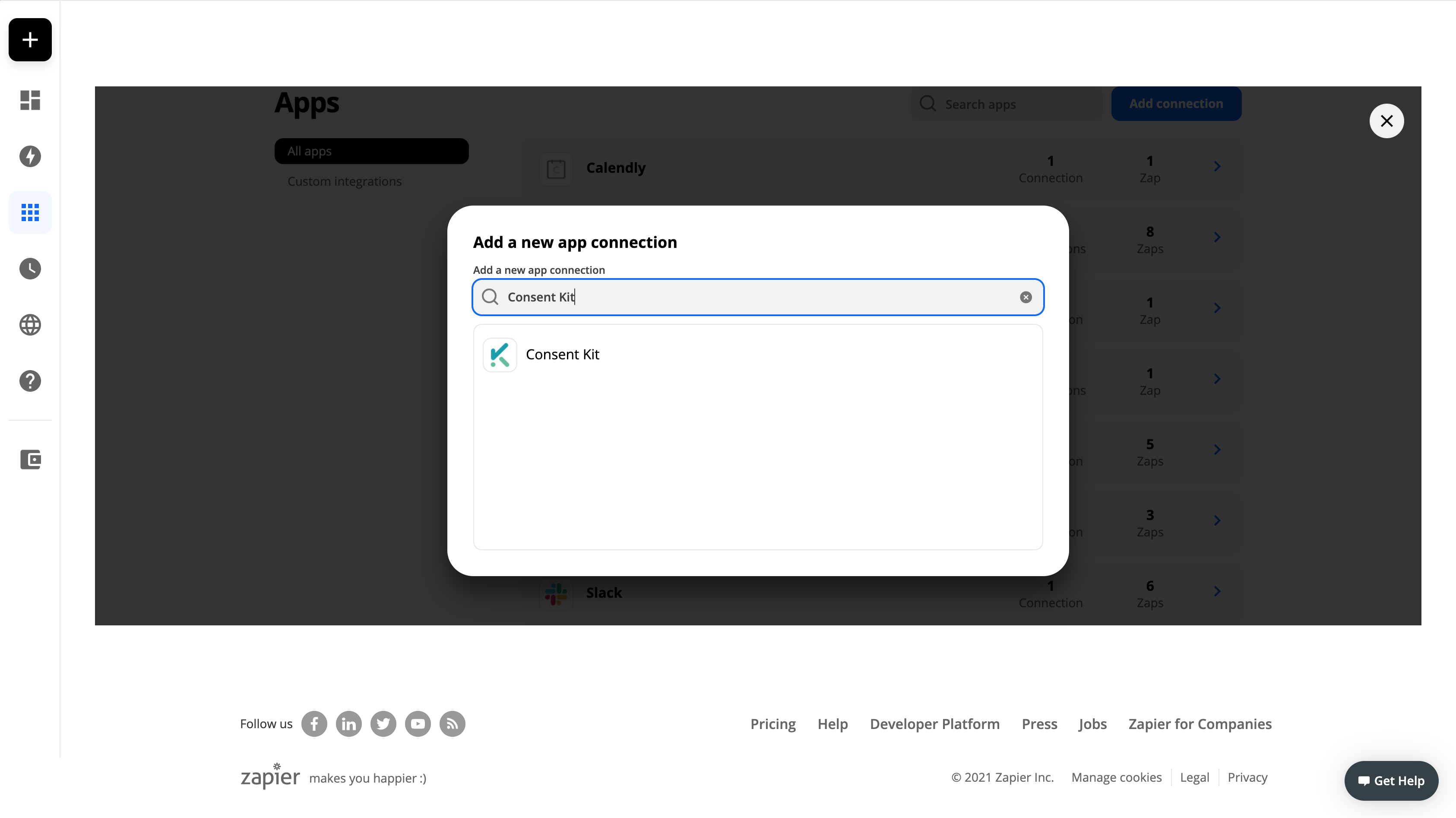
            <p class="text-lg text-gray-600">Now click on "Add connection" and search for "Participant Kit"</p>
            <p>
              <img src="/assets/images/help/zapier-integration/add-connection-dialog.png" alt="Screenshot of the add connection dialog in a Zapier account" />
            </p>
          </div>
        </div>
      </div>
    </div>
  </li>

  <li>
    <div class="relative -ml-8">
      <div class="relative flex space-x-3">
        <div>
          <span class="h-8 w-8 rounded-full bg-gray-600 flex text-white items-center justify-center ring-8 ring-white">3</span>
        </div>
        <div class="min-w-0 flex-1 pt-1.5 flex justify-between space-x-4 -mt-7">
          <div>
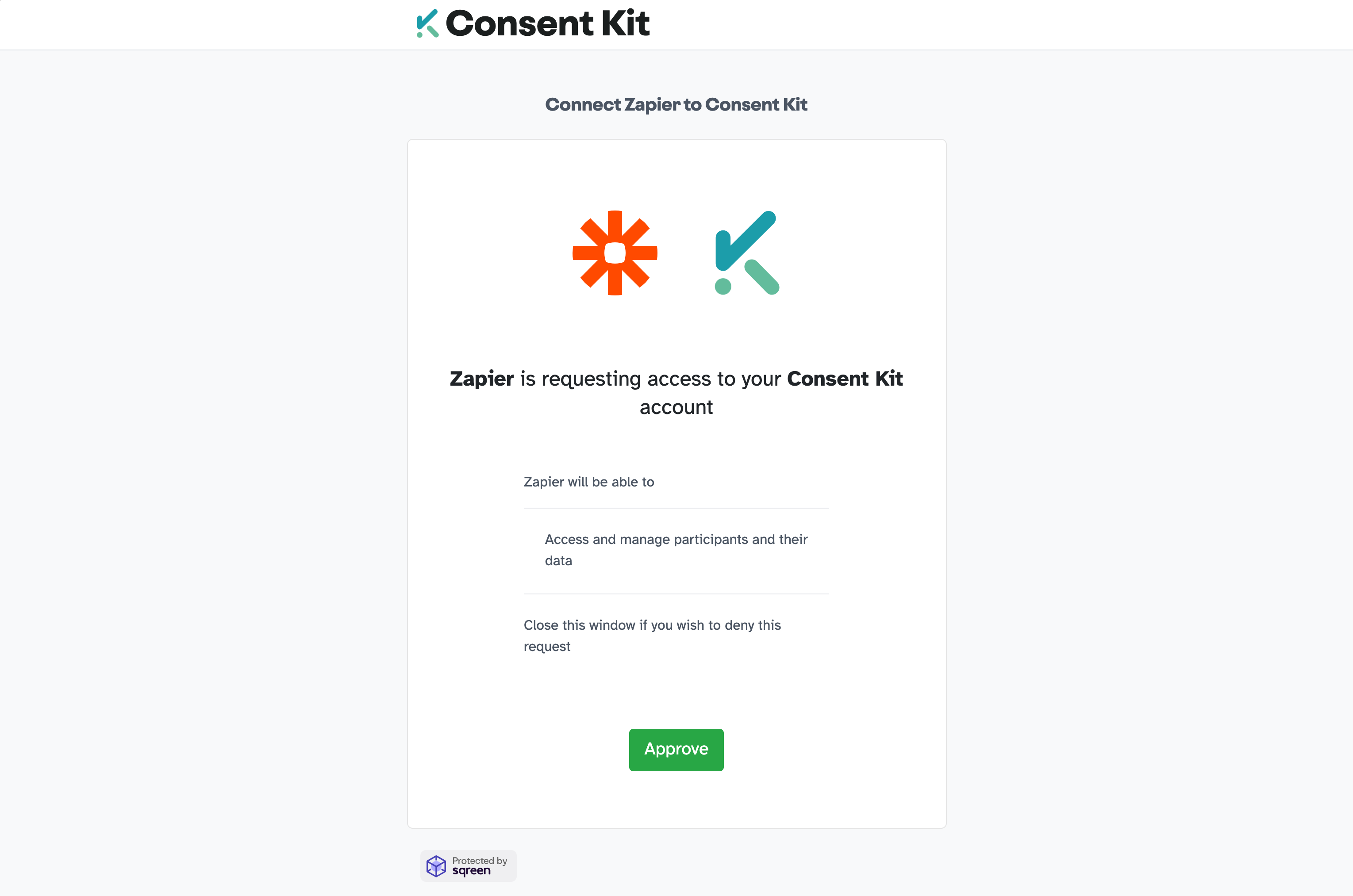
            <p class="text-lg text-gray-600">A popup window will prompt you to use your credentials to connect your Participant Kit account to Zapier.</p>

            <ol>
              <li>Sign into Participant Kit (if not already signed in)</li>
              <li>
                <strong>Optional</strong> - you may be prompted to review permissions and allow the application. Click "Approve"
                <img src="/assets/images/help/zapier-integration/OAuth-authorisation-required.png" alt="Screenshot of the add connection dialog in a Zapier account" />
              </li>
              <li>Once complete the popup wil close and you will be returned to Zapier</li>
            </ol>
          </div>
        </div>
      </div>
    </div>
  </li>

  <li>
    <div class="relative -ml-8">
      <div class="relative flex space-x-3">
        <div>
          <span class="h-8 w-8 rounded-full bg-gray-600 flex text-white items-center justify-center ring-8 ring-white">4</span>
        </div>
        <div class="min-w-0 flex-1 pt-1.5 flex justify-between space-x-4 -mt-7">
          <div>
            <p class="text-lg text-gray-600"><strong>Done!</strong> You can start creating Zaps with no coding experience.</p>

            <p class="text-lg text-gray-600">You can use Participant Kit's zapier integration in your Zapier account simply by searching for "Participant Kit" when building your Zap(s). Or, look below for some inspiration.</p>
          </div>
        </div>
      </div>
    </div>
  </li>
</ol>

<h2>Popular use cases</h2>

<p>
  <strong>Need inspiration?</strong> See the most common use cases below or explore everything that's possible with <a href="https://zapier.com/apps/consent-kit/integrations" target="_blank">Participant Kit and Zapier</a> on Participant Kit's listing in
  Zapier's directory.
</p>
<ul class="space-y-3 mt-6">
  <li class="text-lg text-gray-600"></li>
</ul>

<script src="https://zapier.com/apps/embed/widget.js?services=consent-kit&limit=5"></script>