
Controlling panel access
Use this when you want to decide who on your team can see a panel and the people on it.
Two settings decide this, and they work together:
- Access, on each panel, decides whether the panel is open to your panel roles or restricted to a list of people
- Researchers can view panels, in Organisation settings, decides whether everyone else can look at open panels, read-only
Who can use this
Organisation admins, and anyone with the panel manager role who has access to the panel.
1. Choose the panel’s access
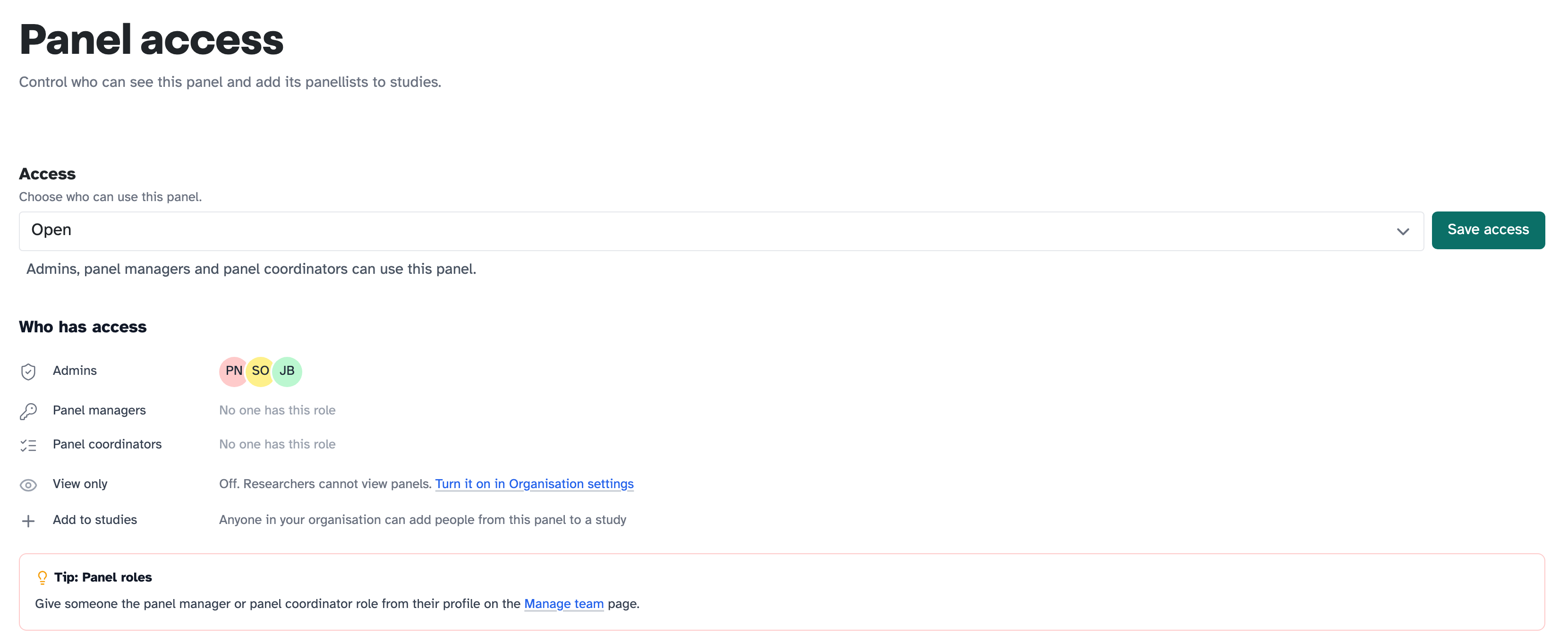
Open your panel and click Panel access in the sidebar. Under Access, choose Open or Restricted:
- Open: admins, panel managers and panel coordinators can use this panel
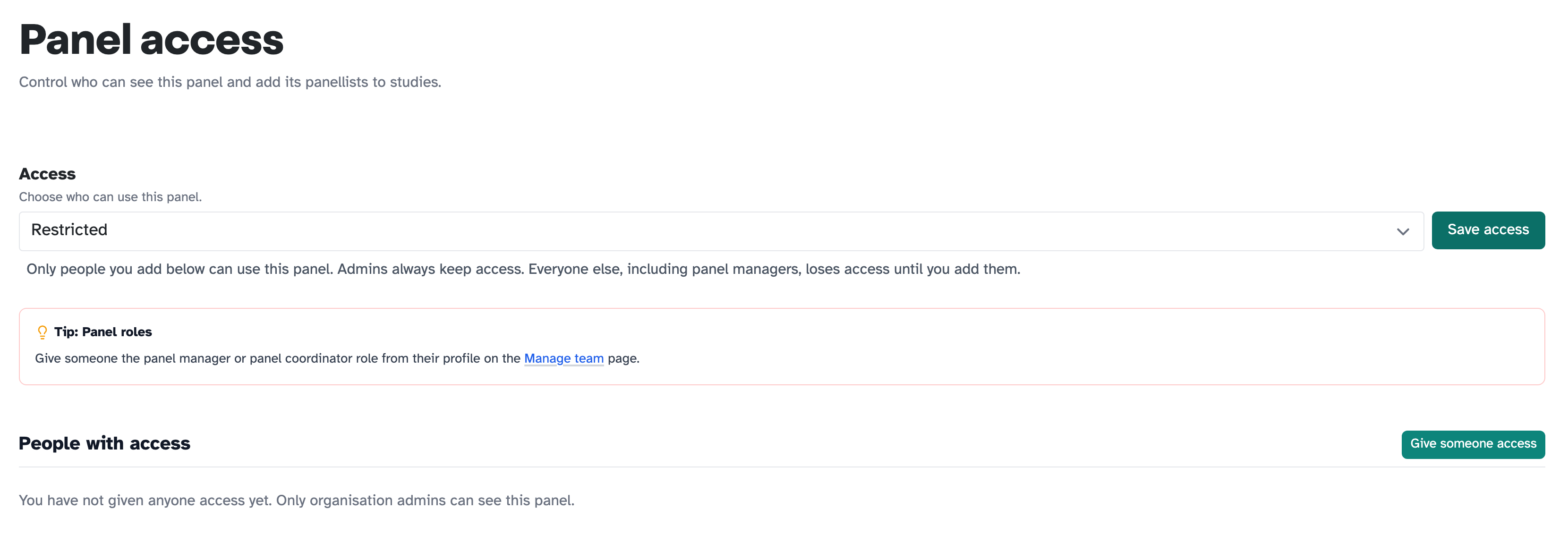
- Restricted: only the people you add can use it. Admins always keep access. Everyone else, including panel managers, loses access until you add them
Click Save access.
2. Give people access to a restricted panel
Set Access to Restricted and the page changes. It swaps Who has access for People with access, which starts empty: “You have not given anyone access yet. Only organisation admins can see this panel.”
Click Give someone access. Find the person with Find user, then click Add to panel next to their name. You add one person at a time.
What “Who has access” tells you
On an open panel, Who has access lists each role and who holds it, so you can see the effect of your choice rather than work it out.
View only shows whether the organisation setting is on. If it’s off, it says so, with a link to turn it on.
Add to studies is worth reading too. Anyone in your organisation can add people from an open panel to a study, even if they can’t open the panel to look at it. So a researcher can recruit from your panel without browsing your panellists.
Letting everyone see your open panels
Researchers can view panels is off to begin with, so people without a panel role can’t look at your panels at all.
Turn it on in Organisation settings, under Panels, and everyone in your organisation can see open panels and their panellists, read-only. Restricted panels stay limited to the people you add.
Panel roles
Panel manager and panel coordinator are roles you give someone on the Manage team page, from their profile, not from the panel:
- Panel managers can fully manage all panels and panellists
- Panel coordinators can manage panellists, but not create or delete panels
Key takeaways
💡 Remember: Two settings decide who sees a panel. The panel’s own Access, and Researchers can view panels for everyone without a panel role.
🧪 Try: Open Panel access on a panel and read Who has access. It tells you the effect of your settings without you having to work it out.
⚠️ Watch for: Restricted panels drop panel managers too. Only admins keep access automatically.
⚡ Quick tip: Someone can add people from an open panel to a study without being able to view the panel, so you can keep panellists private and still let your team recruit.