
Build your own templates inside any project
New feature
Create form templates scoped to a project and reuse them across every study in it. No admin rights needed.
A while back we restricted template creation to admins. The thinking was sound: organisation templates should be a small, curated set that everyone can trust, and letting too many pile up makes them harder to rely on, not easier.
But it left a gap. If you weren’t an admin and the closest org template didn’t quite fit your study, you had to rebuild the same changes by hand every time, with no way to save your version or reuse it the following week.
Project templates close that gap.
How it works
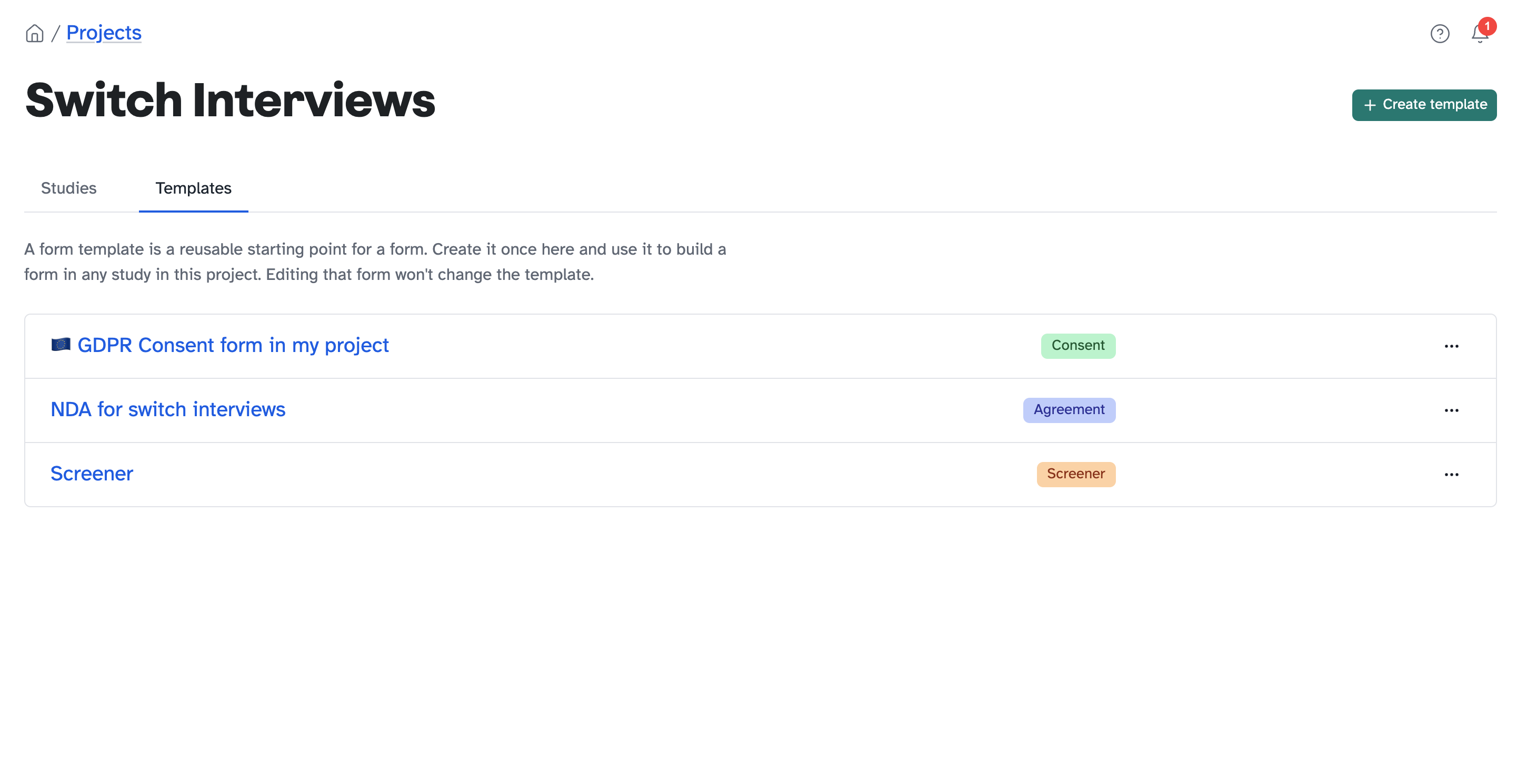
You can now create form templates that live inside a project. Build one once and reuse it across every study in that project, with no admin rights required. Editing a form you’ve built from a template won’t touch the template itself, so your starting point stays clean.
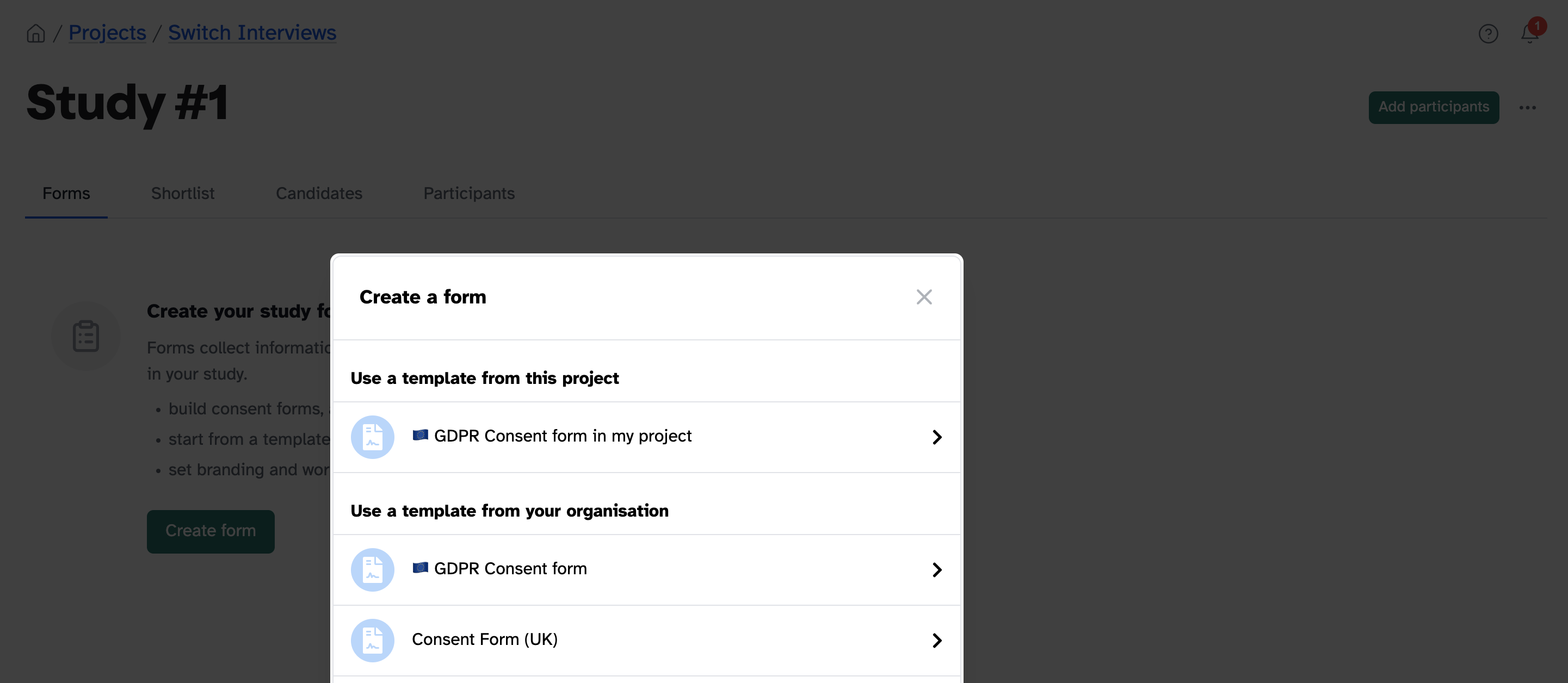
Because they’re scoped to the project they belong to, project templates don’t clutter the organisation-wide list and they don’t show up in other projects. Your org templates stay curated and small, while each project gets its own working set underneath.
Where you’ll use it
- Studies that share a setup. A research programme running back-to-back studies on the same consent form, screener, or NDA.
- Customising the base template. Take an org template, adapt it for how your project actually works, and save that as your starting point.
- Repeatable workflows. Standardise how every study in a project begins, and set up the next one in seconds.
How to use it
- Open a project and go to the Templates tab
- Create a template, or copy an existing form to start from
- When you set up a study in that project, pick your template from the list
Coming next
We’ve heard that a good project template often deserves to become an organisation one. We’re working on a way to flag a project template to your admins and suggest it gets promoted, so the best ideas can travel upwards without flooding the org list. More on that soon.