
Scheduling: time zones for participants, availability for your team
Friday Drop
Friday Drop 002. Two bookings features, both from early access feedback: participants see times in their own time zone, and researchers control when they can be booked. Early access is open for more teams.
Friday Drop, batch 002. Back in April we said we were building native calendaring into Participant Kit. It has been quietly real for a while now, with teams booking actual sessions through it. Two more things landed this week, and both came straight from early access feedback.
Participants see times where they are
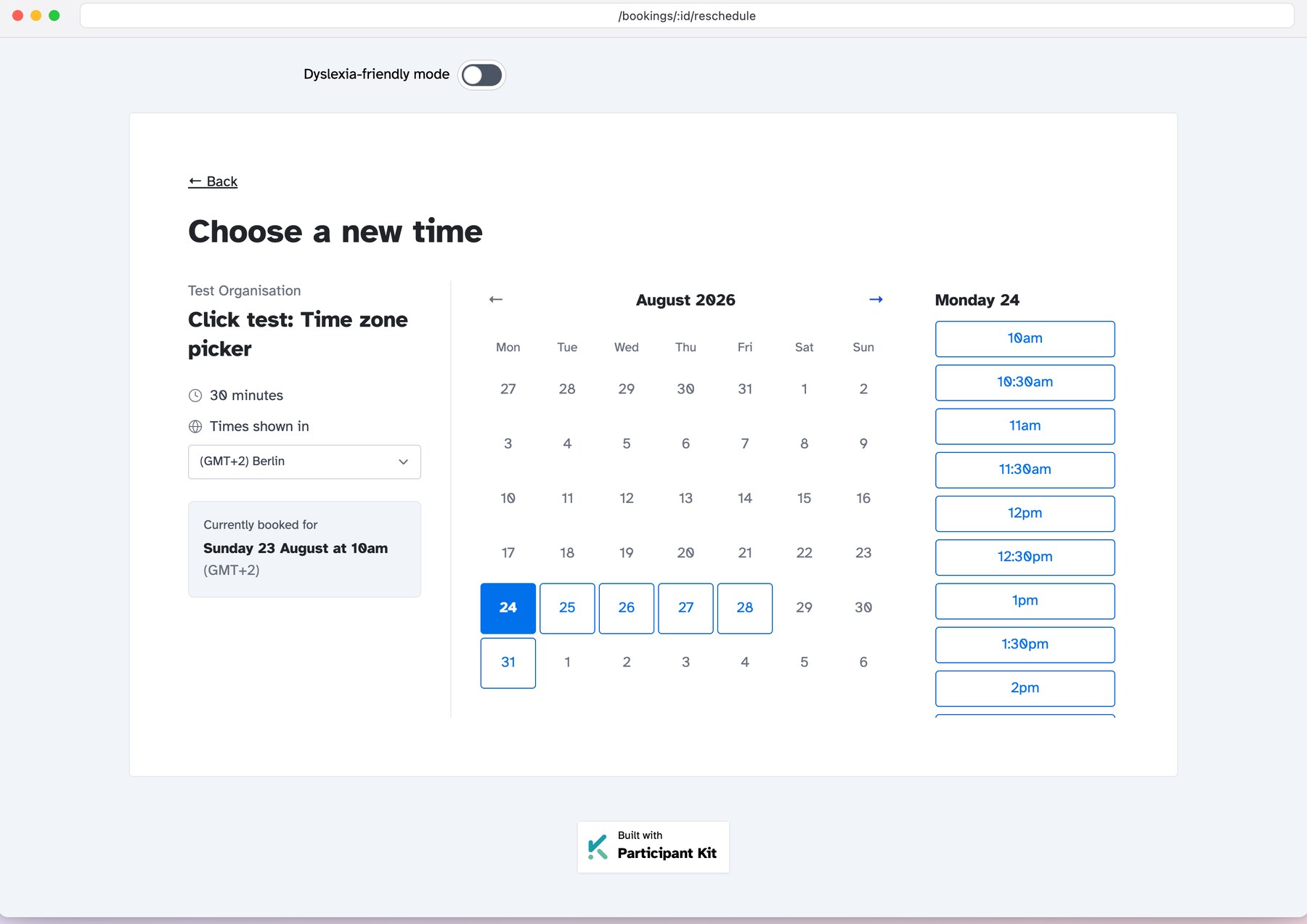
The booking page now works out where a participant is and shows every slot in their own time zone, with a “Times shown in” menu if they want a different one. The zone is saved with the booking, so the confirmation email and the reschedule page show the time they chose, not the time you happen to be in.
Nobody does the maths. Nobody turns up an hour late. And if you only ever run UK research, nothing changes.
You decide when you can be booked
A confession: until this week, bookings assumed everyone worked Monday to Friday, nine to five. That window was the same for every researcher on every study.
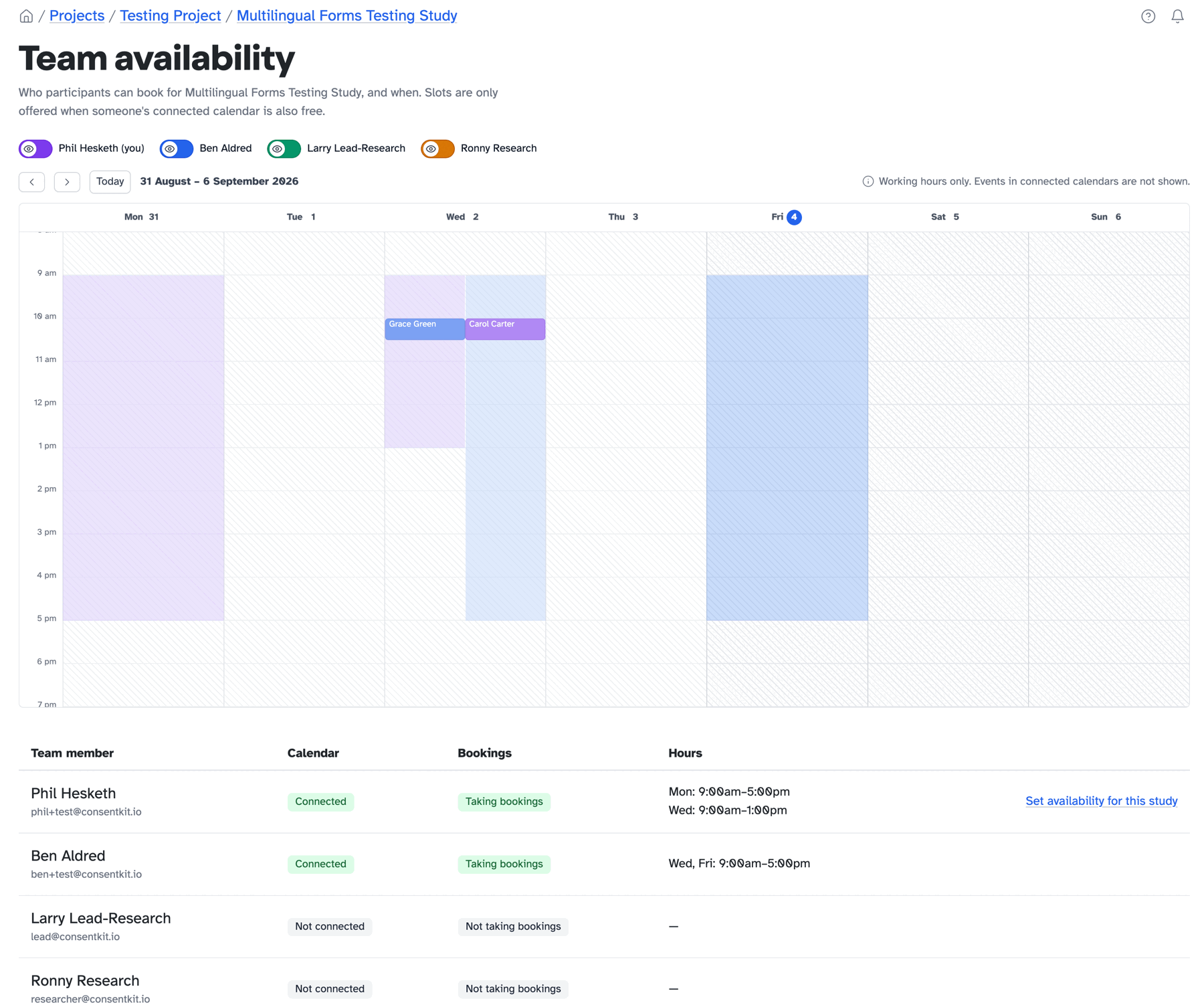
Now it’s yours to set. Every researcher has their own weekly hours, each study can override them or opt out of bookings entirely, and a new team availability calendar shows who participants can book, and when, with booked sessions drawn on top. Research is a team sport, and now the calendar knows it.
Early access is open for more teams
Nearly everything in Participant Kit was designed with a customer looking over our shoulder, and bookings is being built the same way. Both of the features above went to the top of the list because early access teams put them there.
We have also given bookings a proper home this week. Have a look at the shiny new scheduling page for the whole picture, then book a call and we’ll switch it on for your organisation.