
Full Form Preview
Improvement
No more using live links to test forms. Preview the full flow, branching and all, without locking anything.
Preview any form in full, exactly as participants will see it. Click through every page, test your branching logic, submit at the end. No data saved. No emails sent. No forms locked.
Single-page preview was already there, but testing the full flow meant sharing the real link. For consent forms and NDAs, that locked the form for editing once submitted. Now you don’t need the workaround.
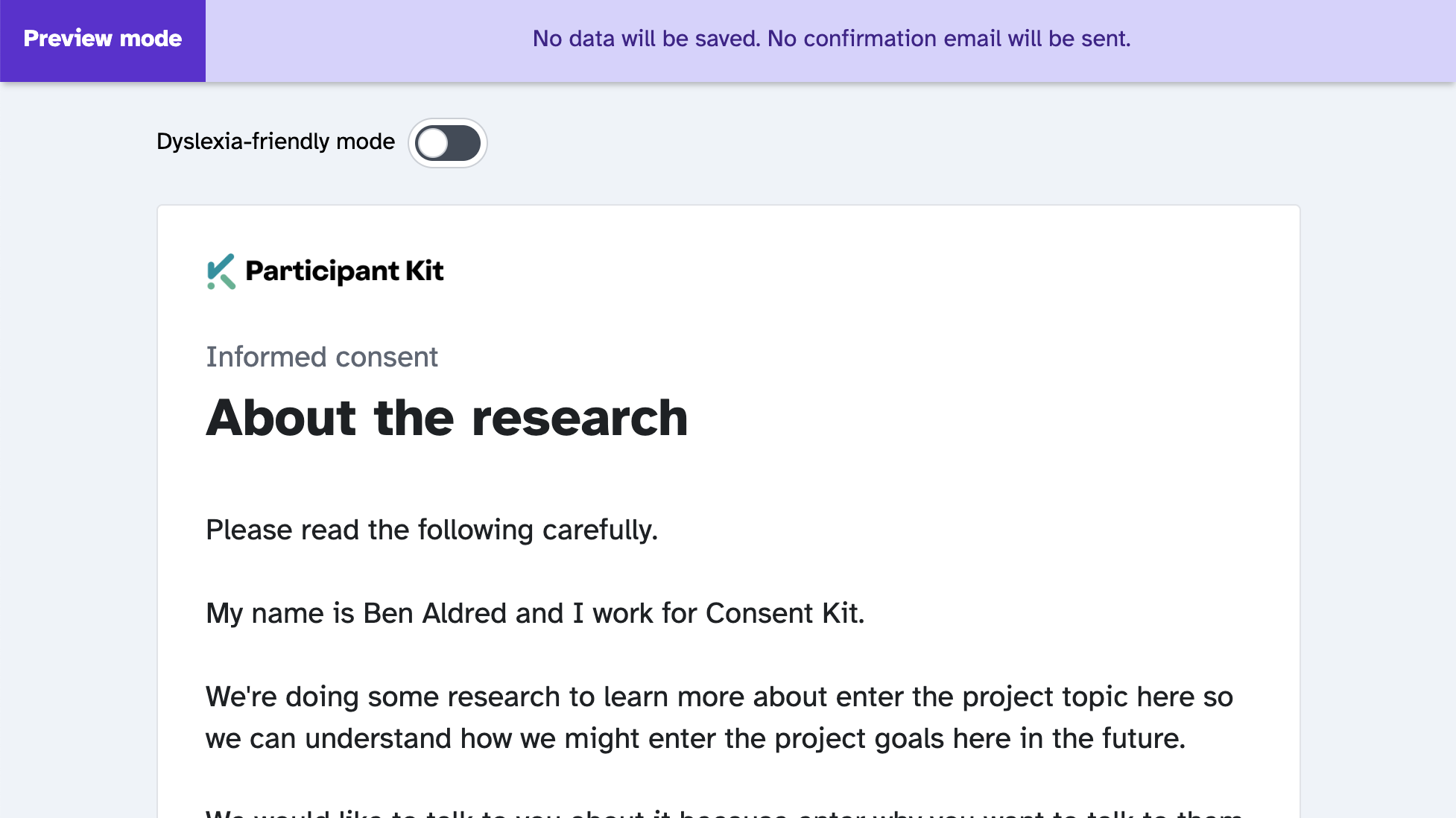
Share previews with your team
Preview links aren’t just for you. Share them with colleagues who need to review a form, or stakeholders who want to give feedback before you go live. They can click through the full experience without affecting your real data.
No more sending out live links and hoping nobody submits.
How to use form preview
- Open any form and click the Preview dropdown
- Select Preview full form
- Click through as a participant would, then submit to complete the test
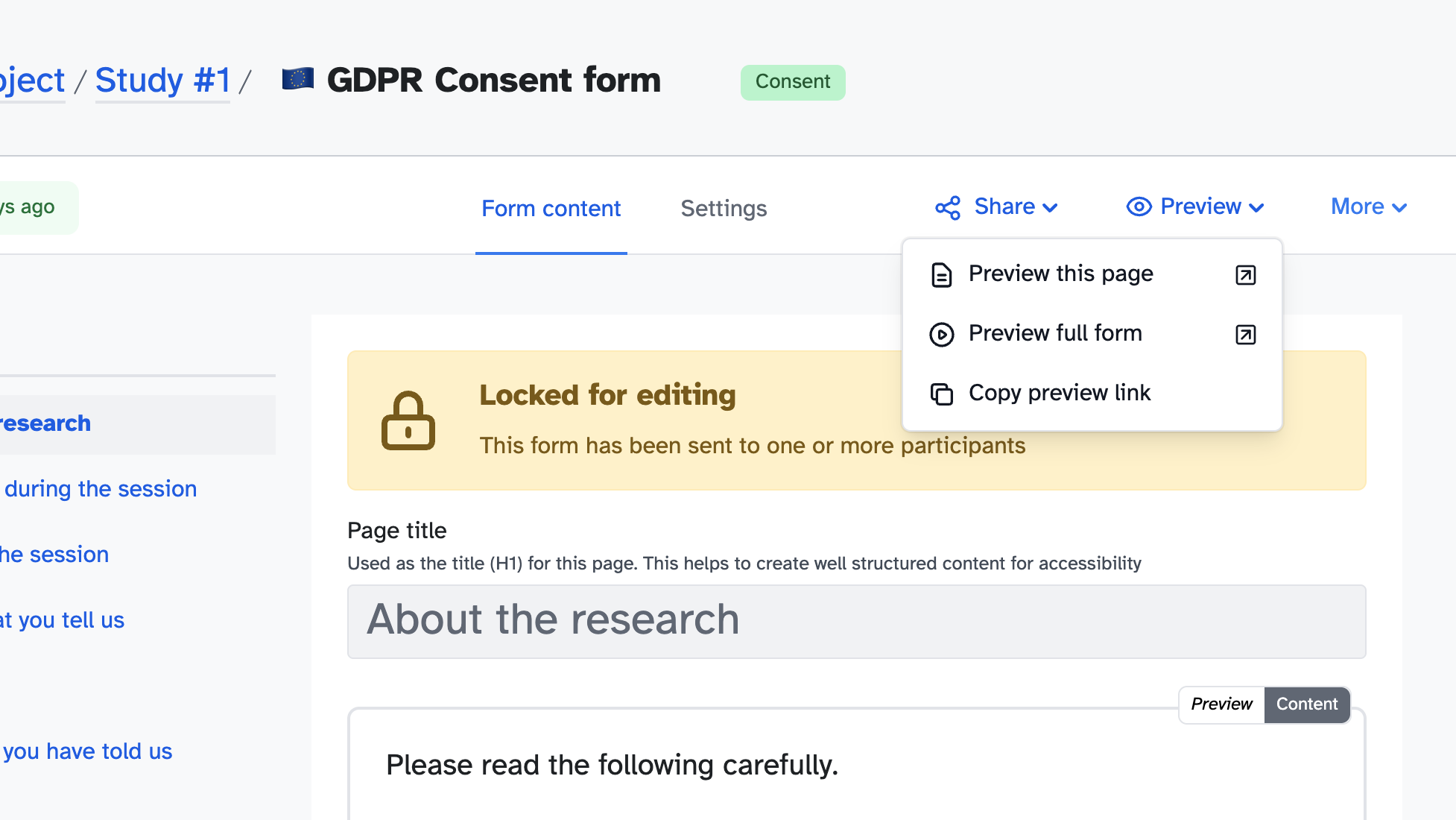
The single-page preview is still there for when you’re working on individual pages.