
Record contact you make outside Participant Kit
New feature
Emailed someone from your own inbox, or a list from another email platform? Record it, and their last contacted date updates for your whole team.
Every message you send from Participant Kit updates that person’s last contacted date. It’s how your team can see who has heard from you recently, and it’s what stops people being contacted too often.
Not every conversation happens in Participant Kit, though. Sometimes you already have a thread going with someone in your own inbox, or you want an invitation to come straight from you. Until now, those emails left no trace. Participant Kit still showed the old date, and nobody else on your team knew you’d been in touch.
The bigger the team, the bigger that gap gets. Someone on your panel might be taking part in a colleague’s study at the same time, and each of you would think they were free to contact.
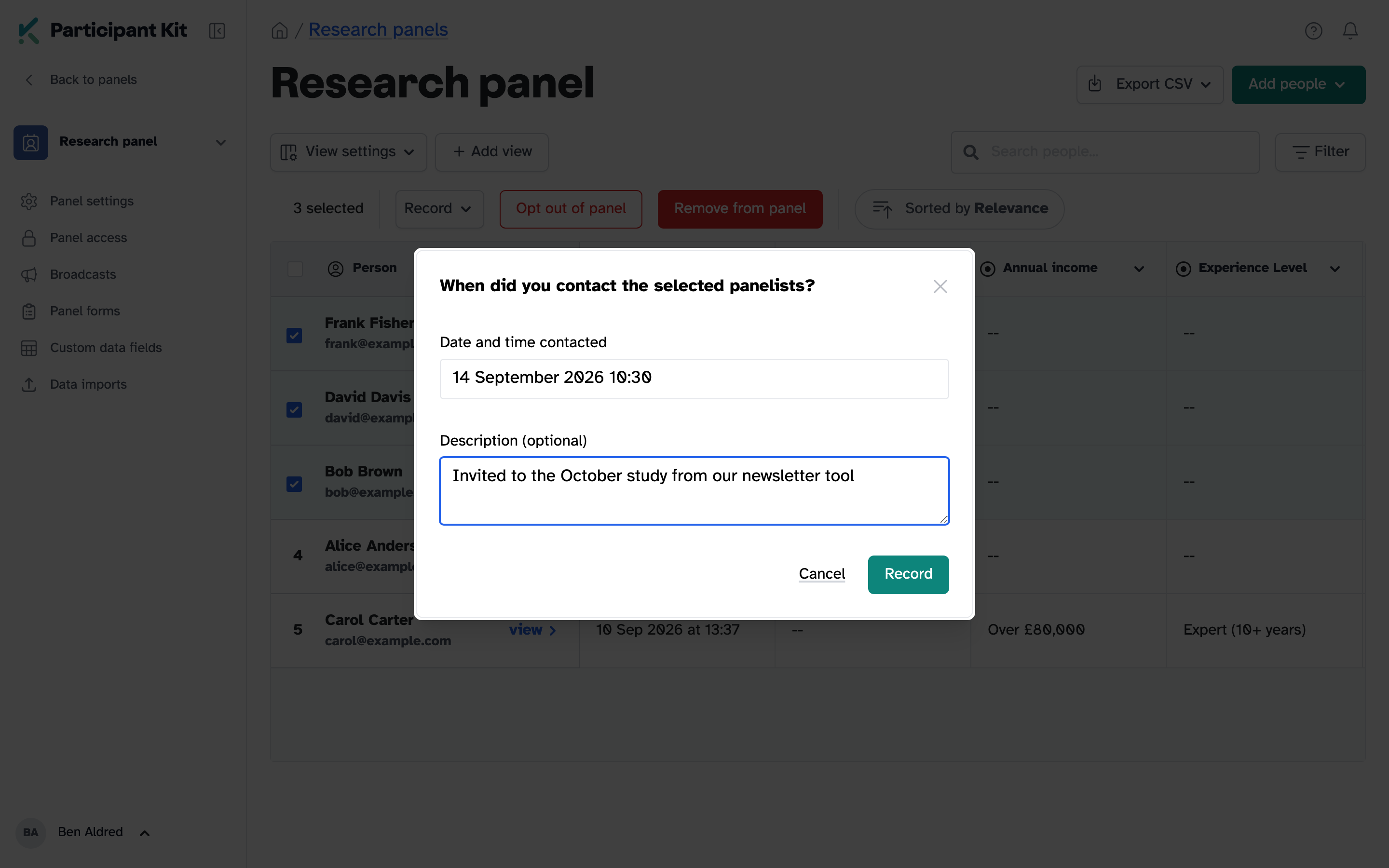
Now you can record contact you made elsewhere. Add when it happened and a note about what it was, and their last contacted date moves forward for everyone.
How it works
- The date updates everywhere. If your panel holds back people who were contacted recently, anyone you record is held back too.
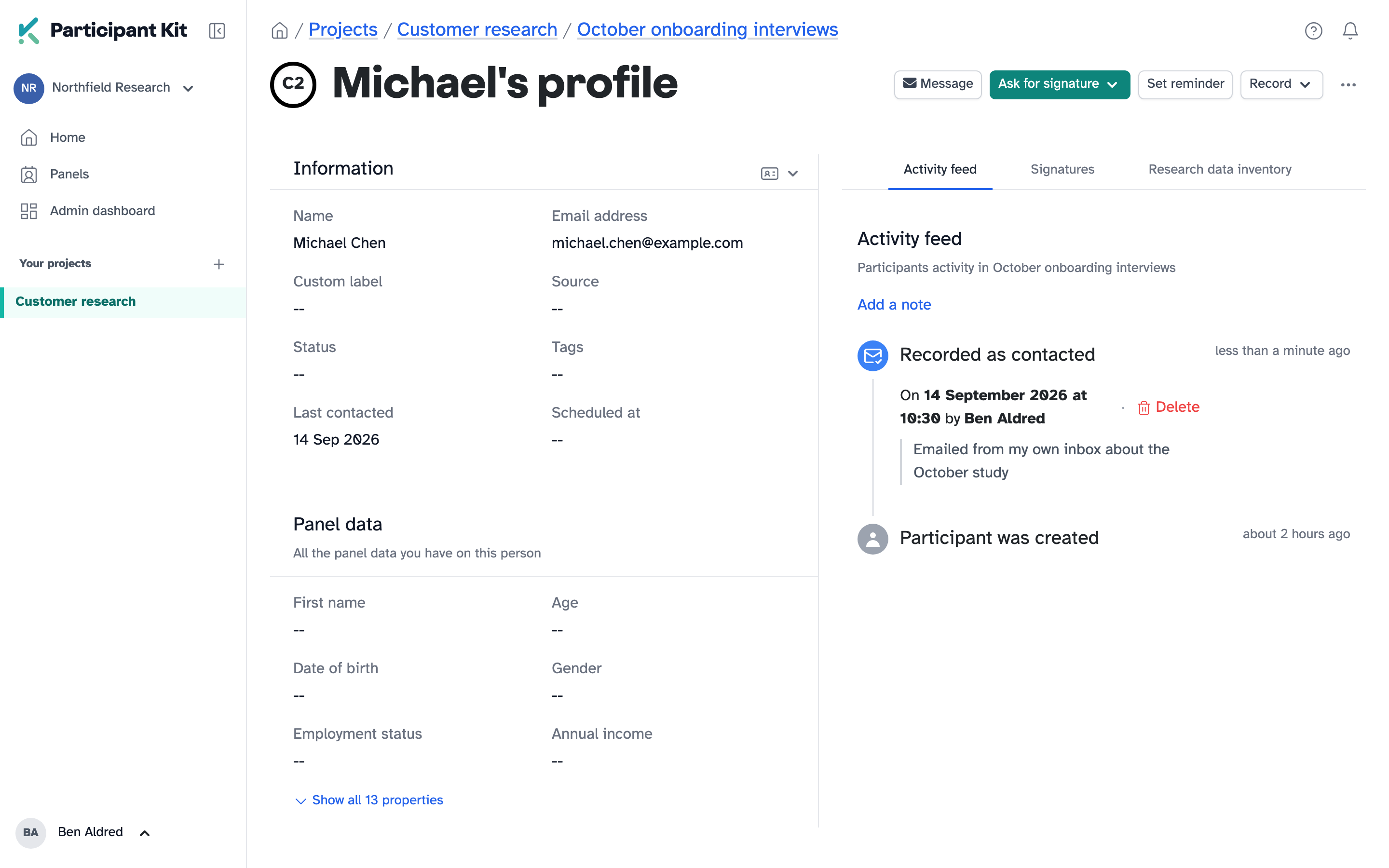
- The note says what happened. “Emailed from my own inbox about the October study” tells the next person exactly why the date changed.
- It sits in their activity feed. Alongside everything else, with who recorded it. Recorded the wrong person? Delete it from there.
How to use it
In a study, record it from the participant’s profile, one person at a time. On your panel, select as many people as you need and record them all at once. The help article walks through both: Recording contact made outside Participant Kit.