
Add people from your panel to a study
Use this when you want people from your panel in a study without screening them first. They go straight into the study’s Participants tab.
If you want to screen people first, add them to a shortlist instead. See Shortlisting and screening people from your panel.
1. Open Add from panel
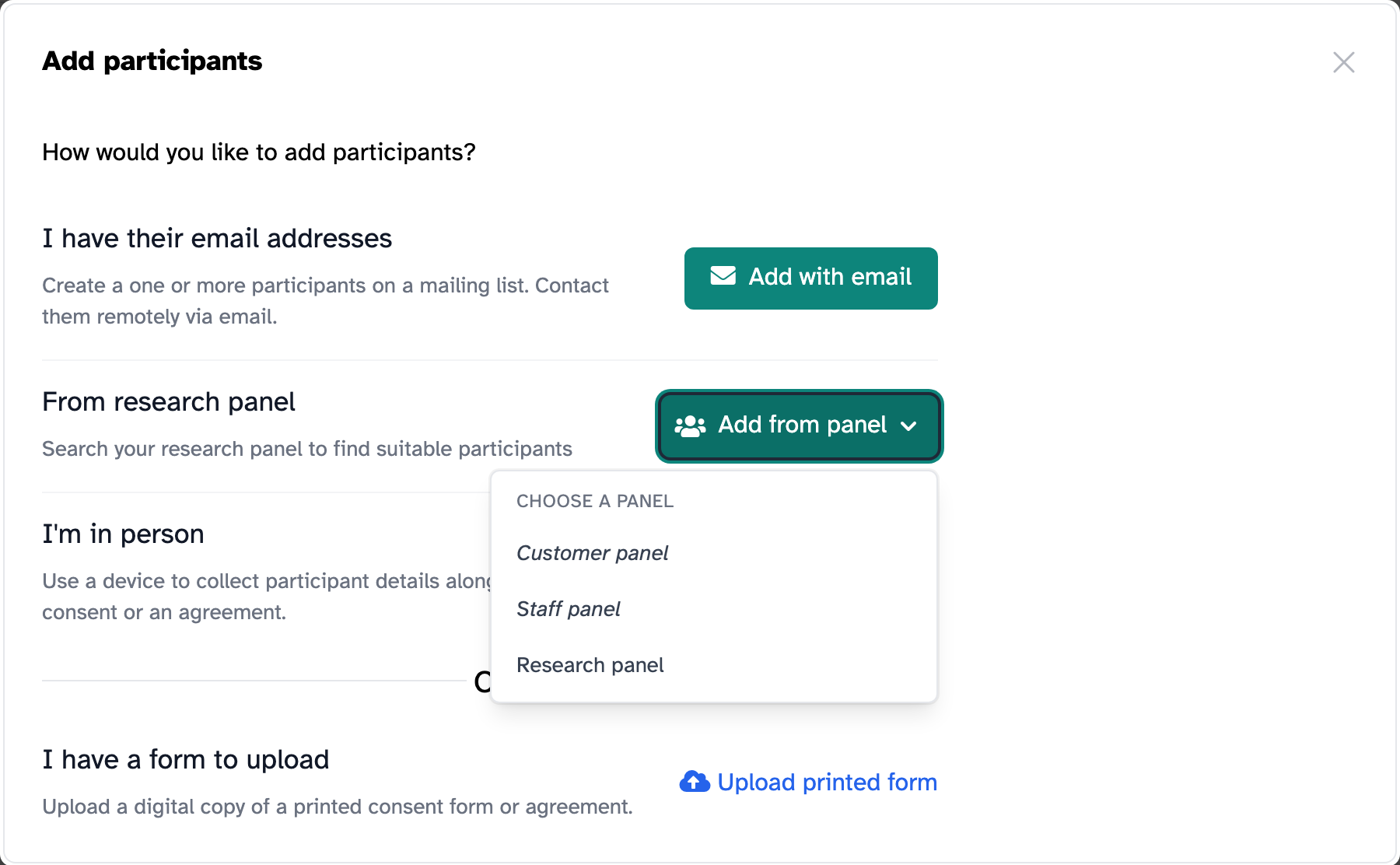
Open the study and click Add participants. Under From research panel, click Add from panel and choose the panel.
2. Find the people you want
The page starts empty. Nobody’s details are shown until you ask for them, but it tells you how many people you can add.
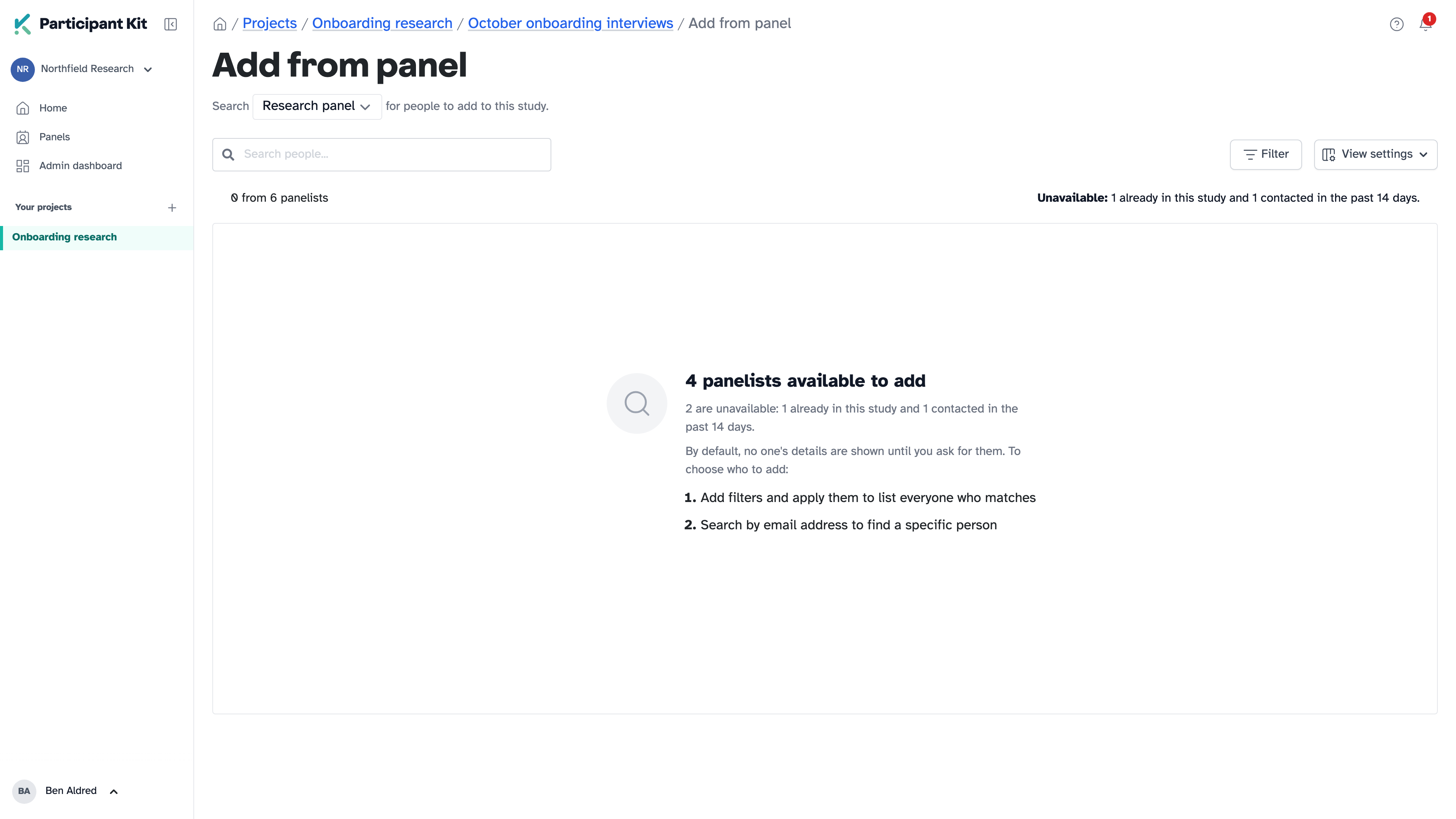
There are two ways to list people:
- use Filter to list everyone who matches, such as people who haven’t been contacted in the last three months. See Filtering your panel to find the right people.
- use Search people to find one person, by name or email address
3. Select people and add them
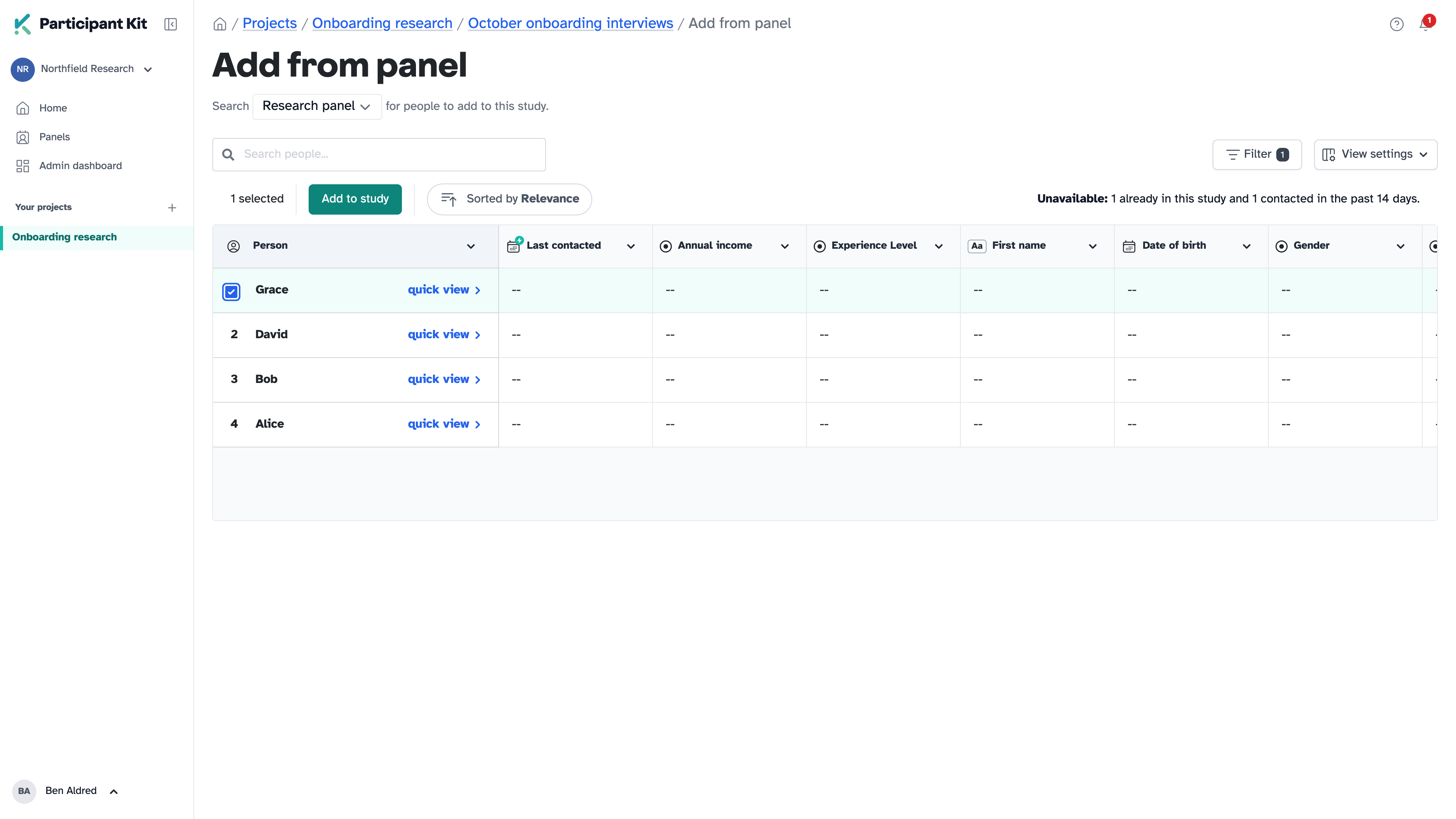
Hover over the number next to a person’s name and tick the box that appears. Do this for everyone you want to add.
Click Add to study.
You go back to the study, and the people you added appear in Participants with a Panellist label. Adding people doesn’t send them anything. You decide when to contact them.
Why some people aren’t listed
Some people can’t be added, so they never appear in the results:
- people already in this study, as a participant or a candidate
- people inside a cooldown set by your panel rules, such as anyone contacted recently
- people on your do not contact list
- people whose email address has been deactivated, for example because it bounces or they marked one of your emails as spam
The page tells you how many people are already in the study or inside a cooldown. For example: “2 are unavailable: 1 already in this study and 1 contacted in the past 14 days.”
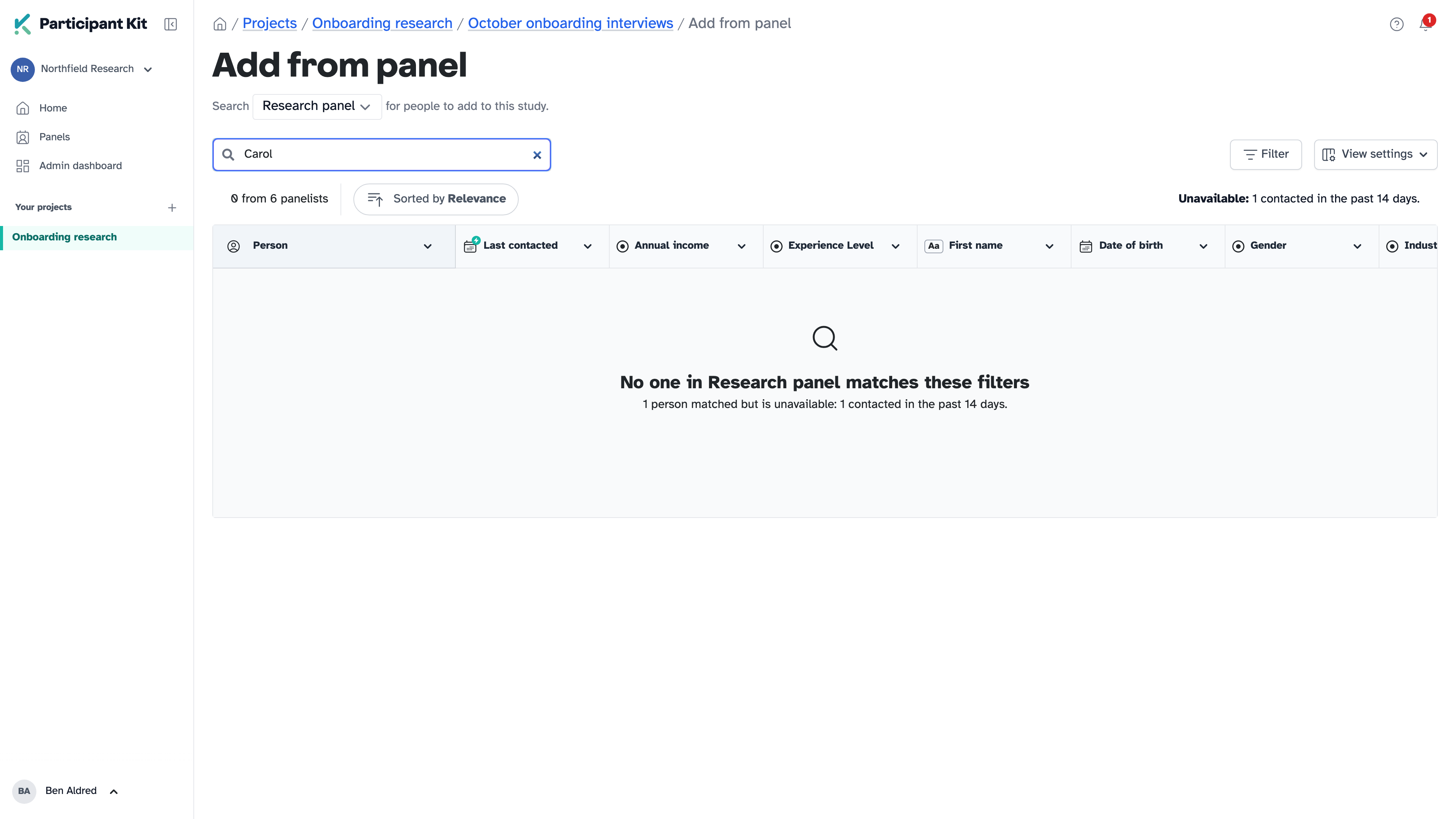
If your filters or search only match unavailable people, it says so: “1 person matched but is unavailable”.
Key takeaways
💡 Remember: Adding people to a study doesn’t contact them.
🧪 Try: Filter by Last contacted to find people you haven’t spoken to in a while.
⚠️ Watch for: Someone missing from the results? Check whether they’re already in the study or inside a cooldown.
⚡ Quick tip: Need to screen people before they join? Use the Shortlist tab instead, so their answers land in Candidates.