
Filter, find and track participants
New feature
Filter your participant lists by consent status, contact history, tags and more. Plus pipeline timestamps and CSV export.
Your participant lists just got a lot more useful. You can now filter by the things that actually matter when you’re managing a study, see exactly when people moved through your pipeline, and spot who’s a panellist or has been screened before.
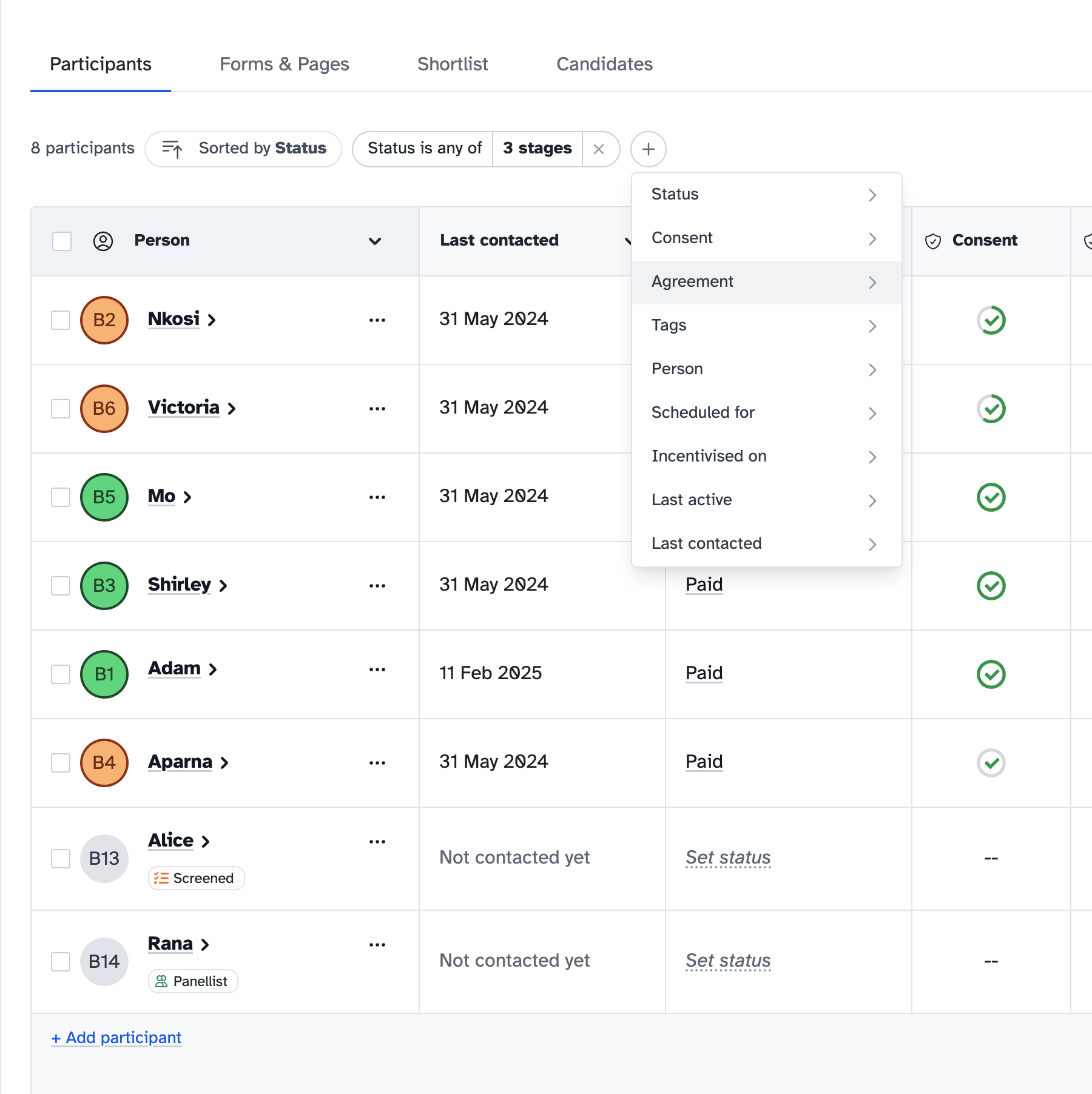
Filters
Hit the Filter button at the top of your participants list. A few examples:
- Consent status - Find everyone you’re still waiting on
- Last contacted - See who you’ve never reached out to, or filter by date range
- Tags - Filter by any tag you’ve set up
- Incentives - Find people you still need to pay
- Scheduled for - Filter by upcoming or past session dates
Each filter has presets (today, last 7 days, last 30 days) and a custom date range option for when you need something specific.
Pipeline timestamps
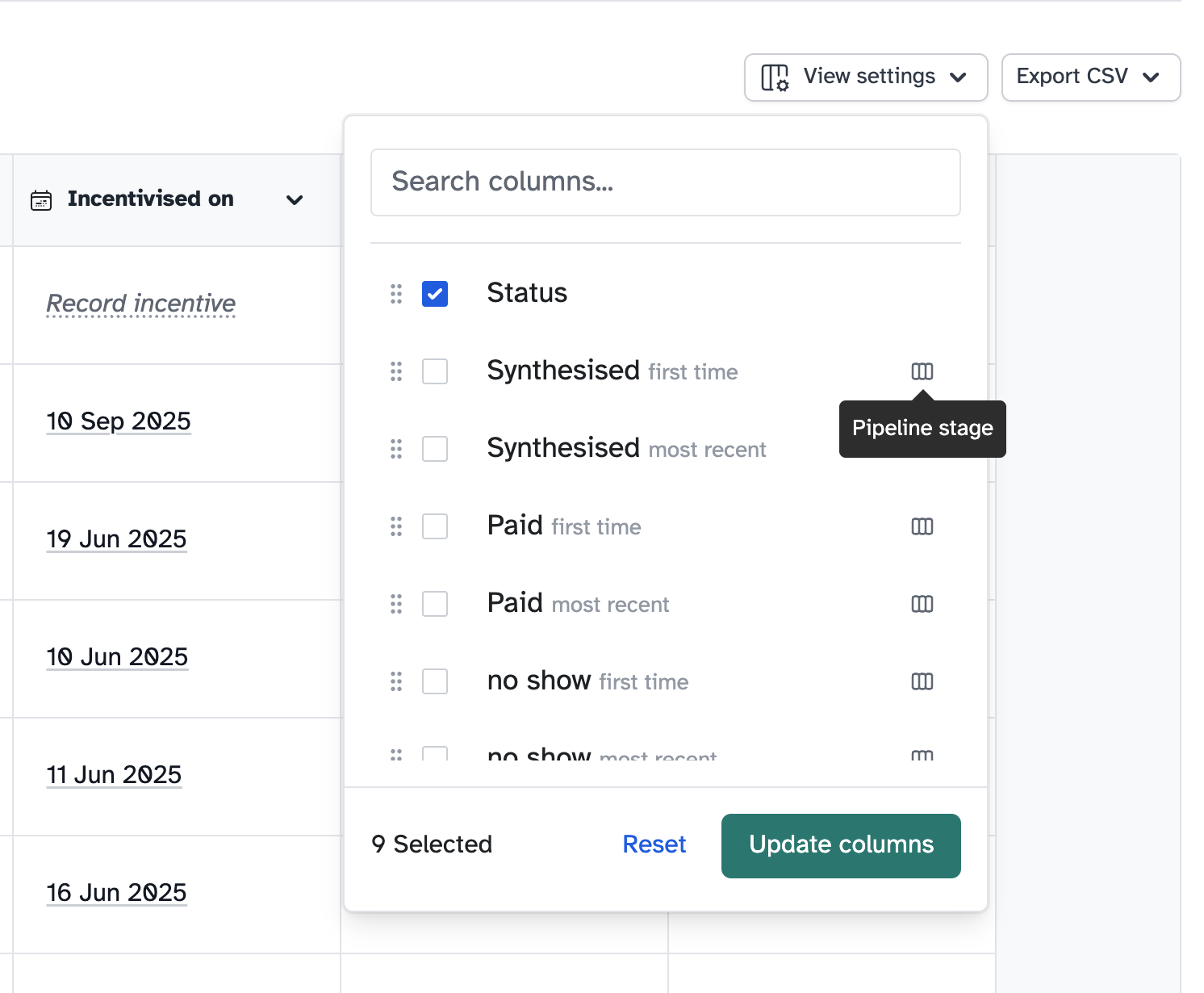
Every custom pipeline stage now tracks when a participant first and last reached it. If someone no-shows twice, you’ll see both timestamps, so you can track the gap between them.
Choose which columns to show via the View settings button at the top right, so you only see what’s relevant to your study.
Panellist and screener indicators
Two small additions that save you clicking into profiles:
- Panellist badge - See at a glance if a participant is also on one of your panels
- Screener badge - Know whether they’ve filled in a screener before
Don’t forget CSV export
This one’s been around for a while, but people miss it. You can export your participant list as a CSV, including any visible timestamp columns. Useful for reporting or working with data outside the platform.
See the new additions on your study’s Participants tab. Let us know if you need any more filters.