
Shortlists: screen your own panel before you commit
Friday Drop
Friday Drop 003. A proper three-stage process for recruiting from your own panel: shortlist the people you might want, send them a screener, review their answers as candidates, then decide. If you've been adding panellists straight into a study, this is your cue to stop.
Friday Drop, batch 003. Screeners started life as a way to qualify people you don’t know yet. You share a link, with your email list or a group you already know, they answer a few questions, and you decide whether they’re right for the study. What we hadn’t really considered was teams screening their own panellists, and plenty of you do. So we’ve rebuilt the route from panel to study. If you’ve been adding panellists straight into a study and then sending them a screener, this is the week to switch.
What was happening
You have a panel of hundreds of people and a new study. You want to screen all or some of them to see who’s a good fit. So you’d add them to the study and send them a screener.
That’s where it fell apart. The moment someone is in the Participants tab, they’re in. When they filled in the screener there was nowhere for their answers to land where you could review them. The process had no middle.
Shortlist, candidates, participants
Every study now has three tabs in that order, and the order is the process.
Shortlist is people you might want. Add from panel, filter it down the same way you filter anywhere else, and pull them in. Nobody has been contacted. It’s a list of people you’re thinking about.
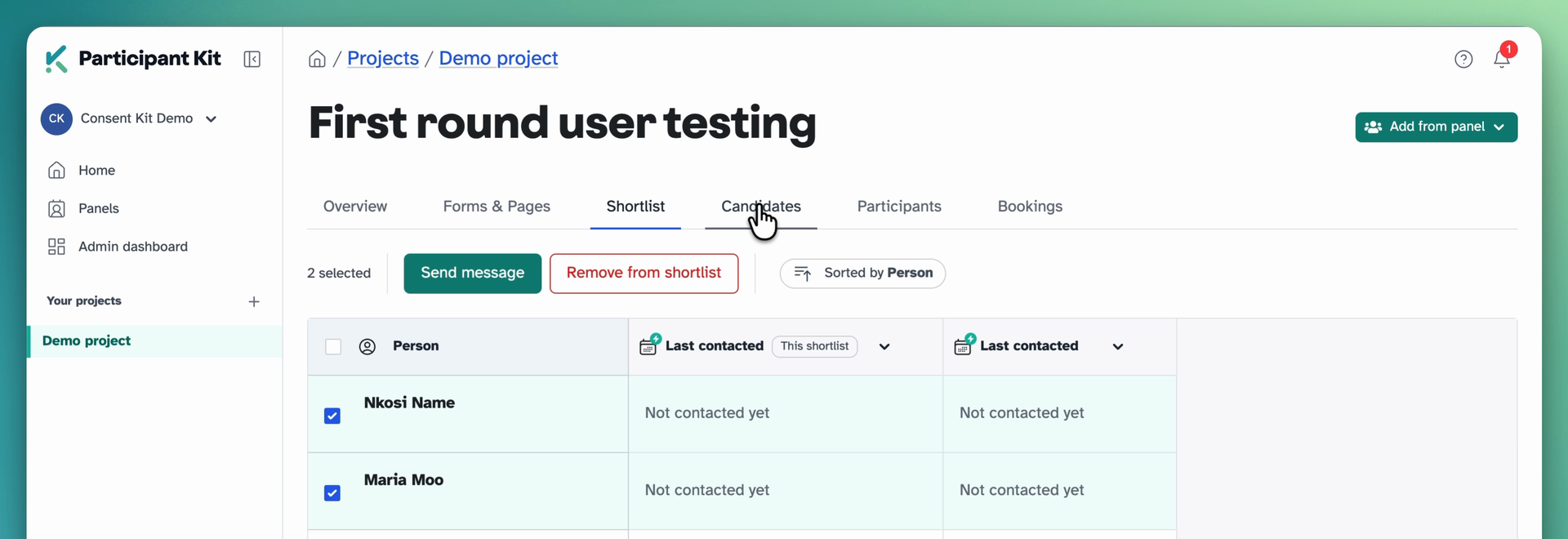
When you’re happy with the list, send the screener from here. Everyone gets their own personal link. Anyone on your do not contact list or who has a bouncing email address is skipped.
Candidates is where people go when they complete the screener and we capture their answers. Review their answers and see if they’re right for the study.
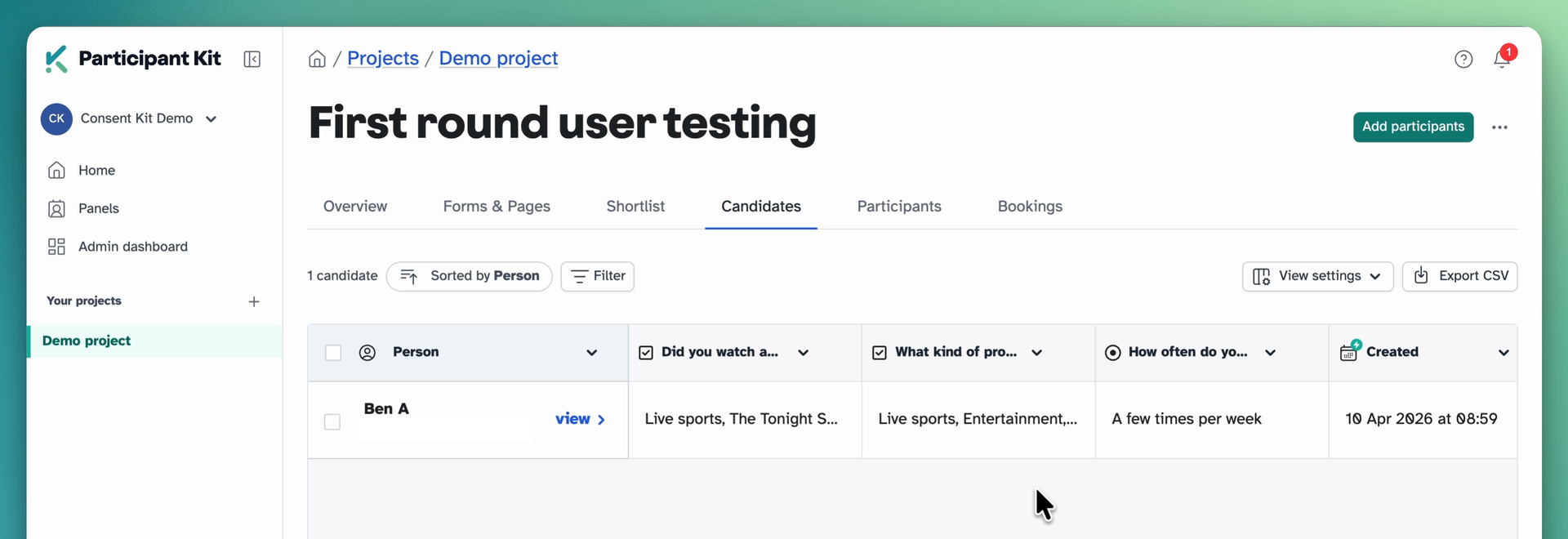
Participants is everyone who qualified, ready to do research.
If you’ve been doing it the old way. Adding people from your panel straight into Participants and then sending them a screener still works. Their answers are saved to their profile, but because they’re already past the candidate stage they never appear in the Candidates tab, so there’s no one place to review everyone. Start on the Shortlist tab instead. Same people, same screener, and you can see who said what before you decide.
Review answers next to panel data
We’ve made two enhancements to the Candidates area.
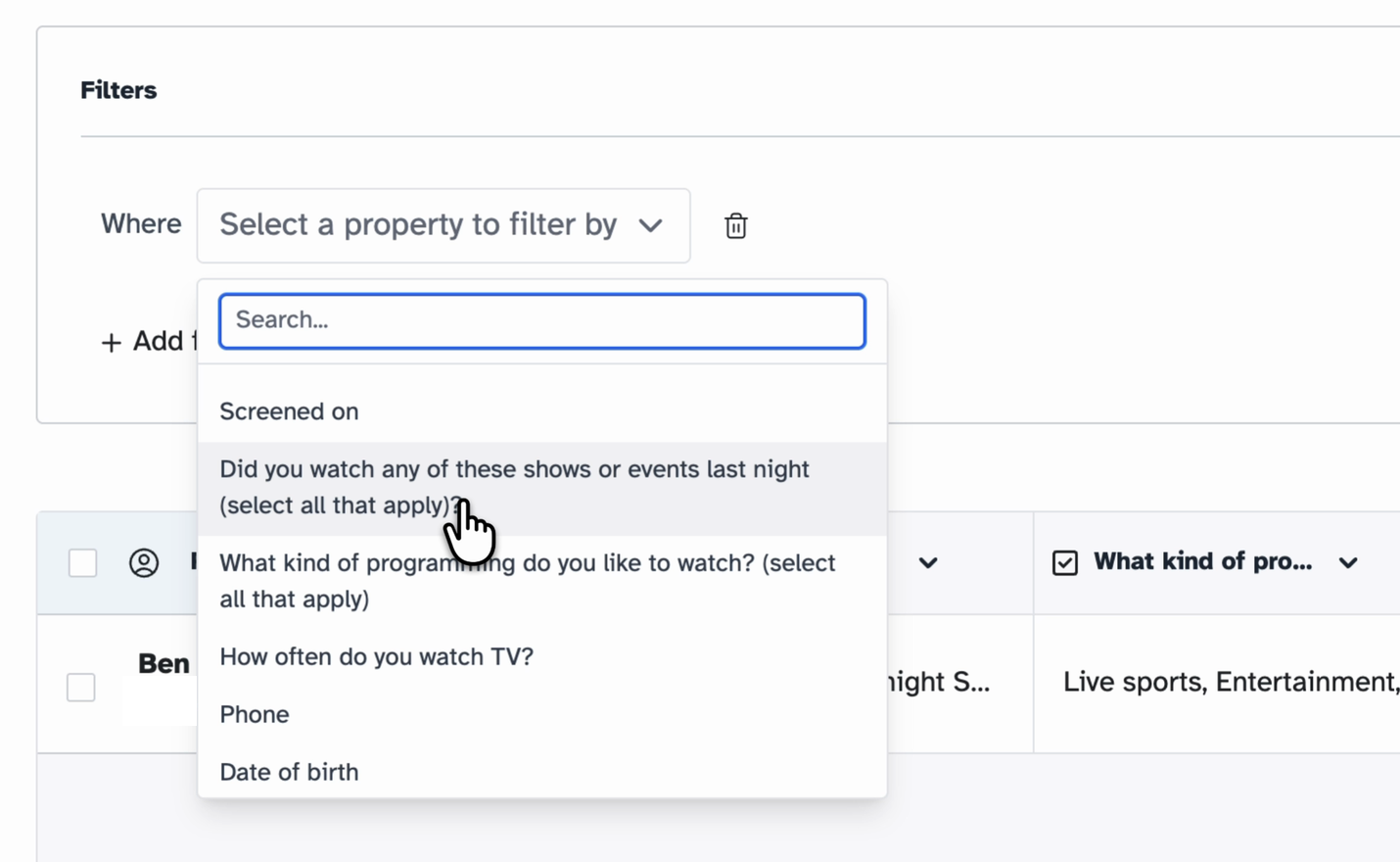
You can filter by what people said. Pick a screener question, pick the answer you’re after, and the list narrows to the people who match. You can filter by date too.
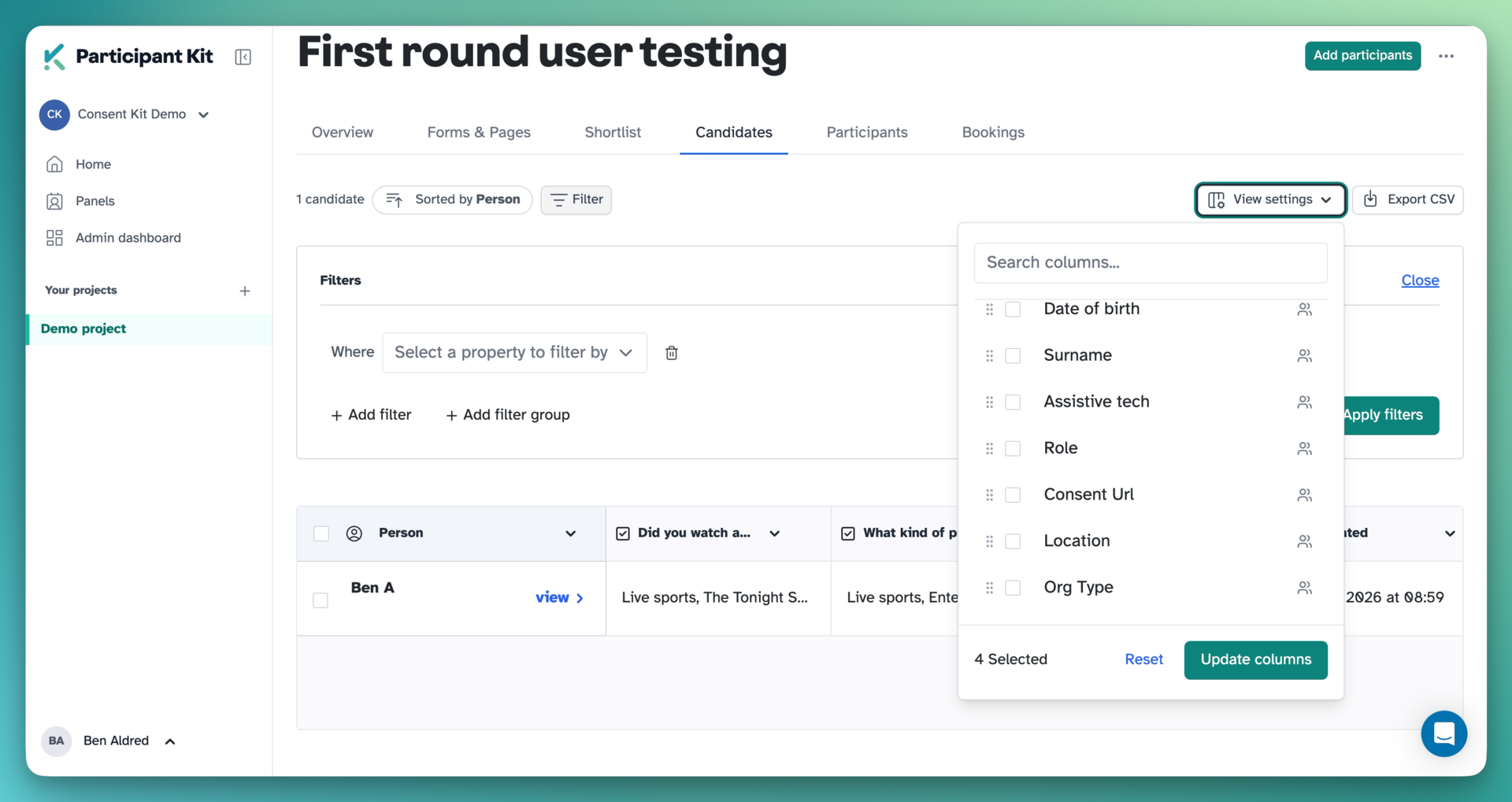
And if someone came from a panel, you can see their panel data alongside. Open View settings and switch on any panel field as a column. It’s off by default and it remembers your choice.
Move them on, or keep them in reserve
When you’ve found the people you want, select them and move them to Participants.
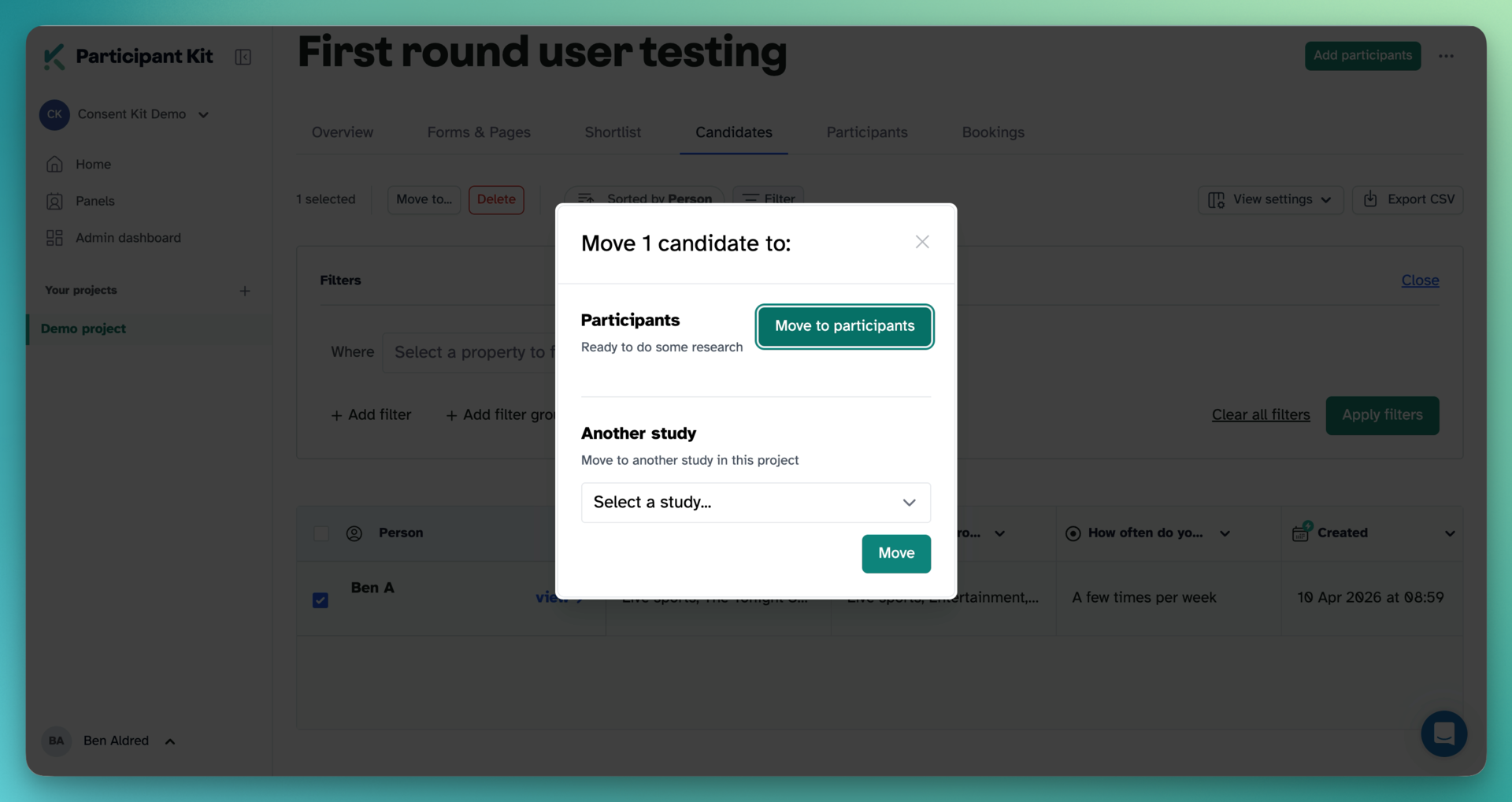
If you’ve got more good fits than you have bandwidth for, move them to another study in the project instead. They sit there as candidates, answers intact, until you’re ready.
There’s a help article that walks through the whole thing: Shortlisting and screening people from your panel.
New to Participant Kit? Book a call and we’ll show you round.