Invite your team
Research is a team sport! One of the strengths of Participant Kit is having a repeatable, scalable process that people of any level of experience can pick up and use to obtain consent and manage research data in an ethical and compliant way.
**Only an Owner can invite someone to an organisation
If you’ve not seen it already - take a look at the different roles and permissions people can have in Participant Kit.
How to invite people
-
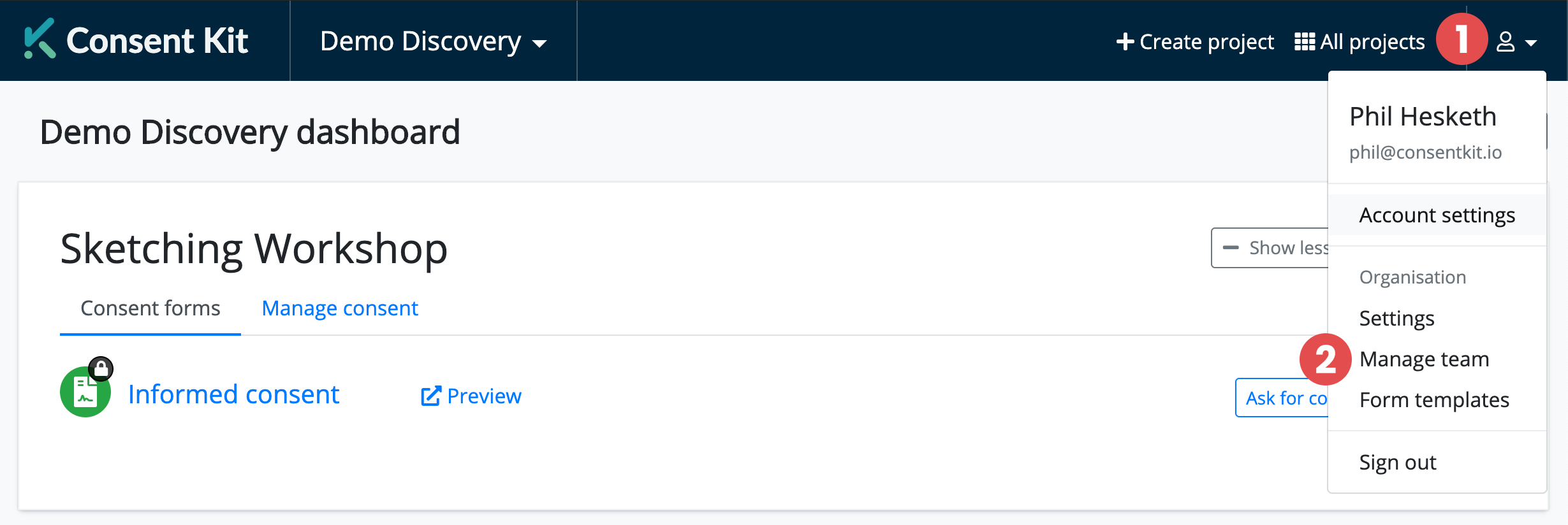
Click on the account icon in the top right corner of the app.
-
Choose “Manage Team” from the Organisation section in the drop down menu.
-
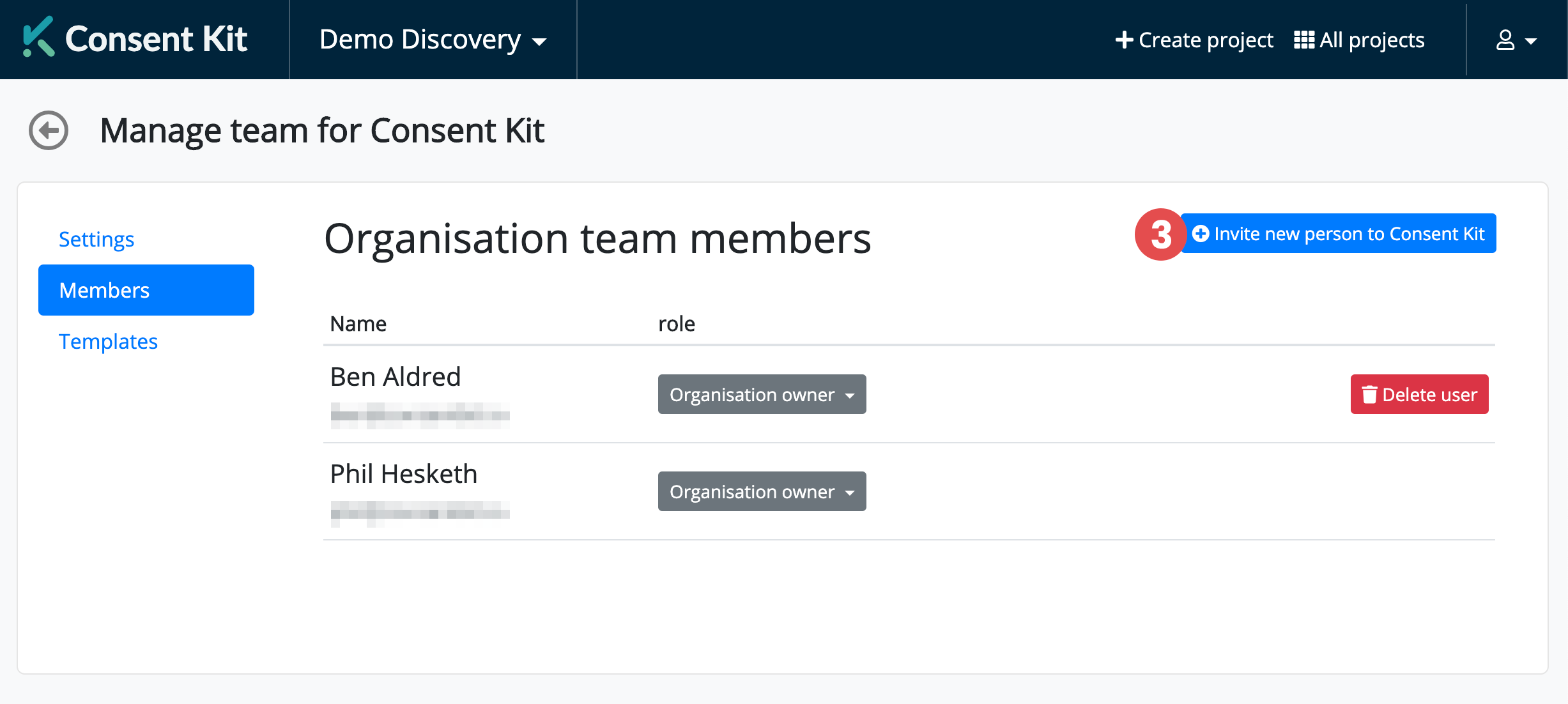
Click “Invite Team Members” on the right hand side
-
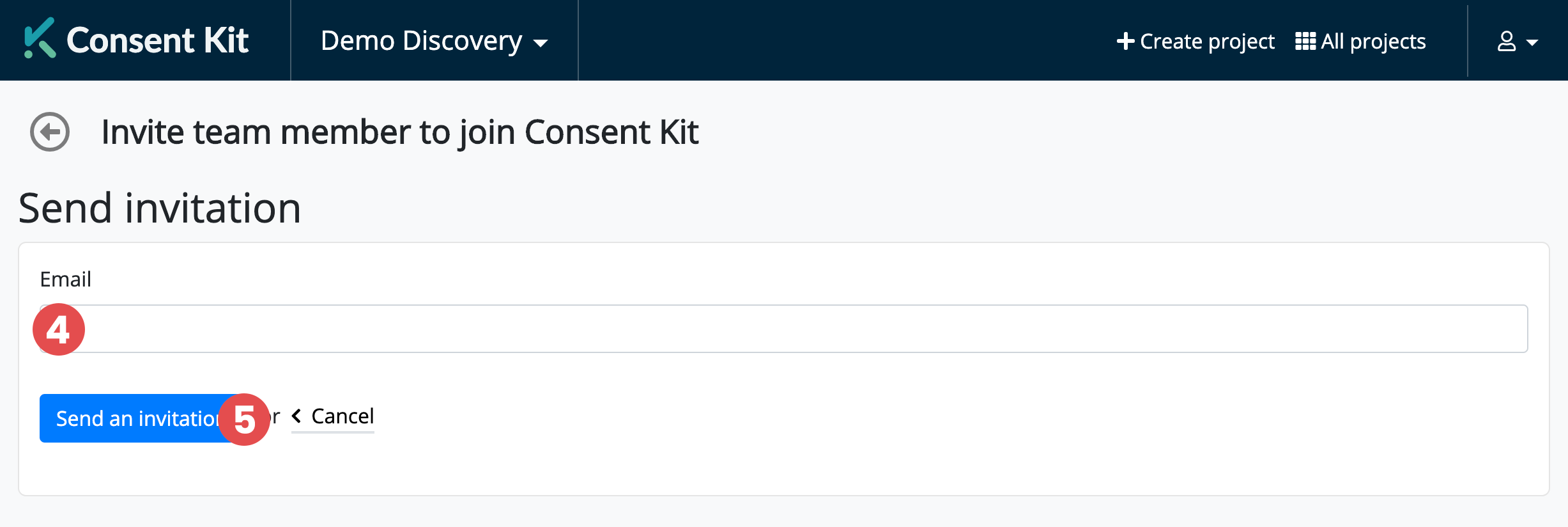
Enter their email address.
-
Click “Send an invitation”. We’ll send them a link from you, with instructions on how to set up their account.