Keep track of incentives, whoever pays them
Friday Drop
Friday Drop 007. Keep track of incentives without an incentive provider. Record who you've paid or who's owed, then send finance one report.
Friday Drop, batch 007. This week is for teams who pay incentives without an incentive provider and teams where someone else does the paying.
Two ways to use it
You don’t need an incentive provider to keep track. You might not have one, you might not be allowed to use one or yours might not connect to Participant Kit. Teams tend to use it in one of two ways.
You pay people yourself. You send the voucher or the bank transfer, then record it in the study with the date, the amount and the currency. When accounts ask what you’ve spent, the figures are already there.
Someone else pays. In some organisations, researchers don’t handle money. Finance or another team pays people instead. After a session, record that the person is owed an incentive, using the date of their session. An organisation admin can then send that team the incentives report, so they know who to pay, how much and how long each person has been waiting.
Either way, it’s a record. Participant Kit doesn’t send anyone money or email them about it.
Record an incentive in a study
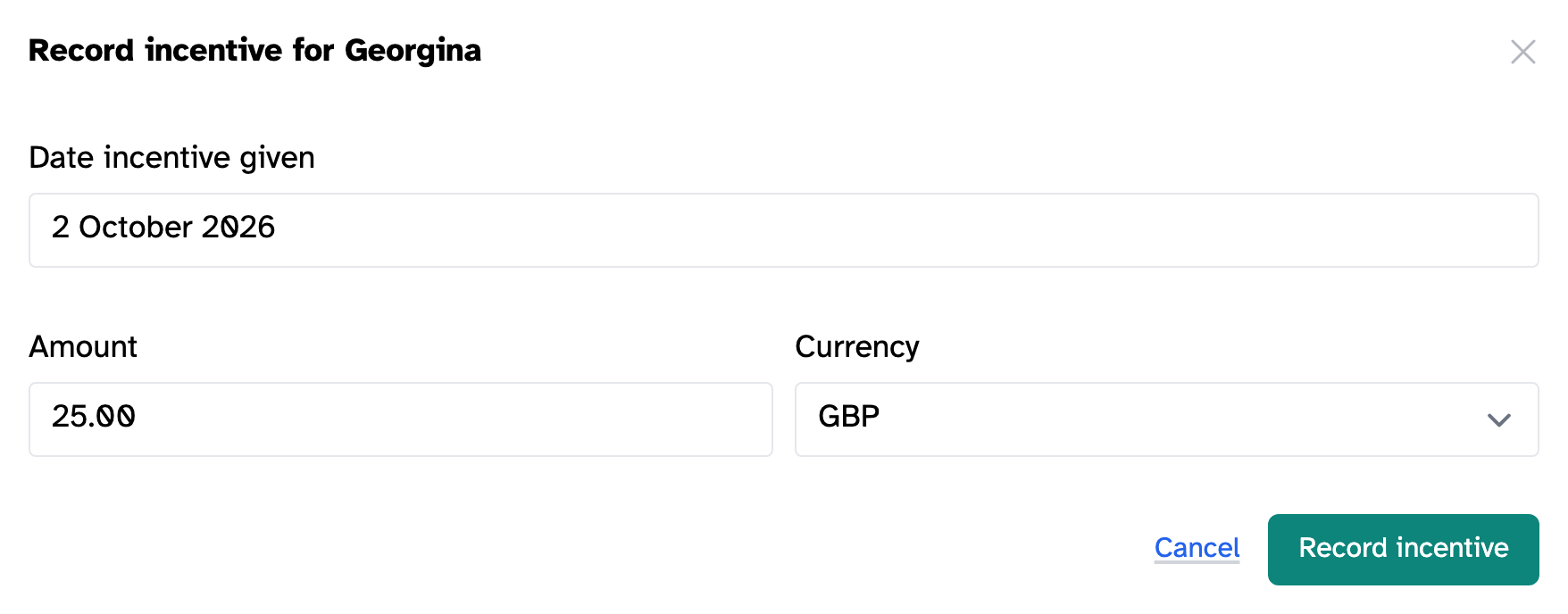
On a study’s Participants tab, click Record incentive in the Incentivised on column. Choose the date you paid them. If someone else is paying, choose the date of their session. Add the amount and currency, then click Record incentive.
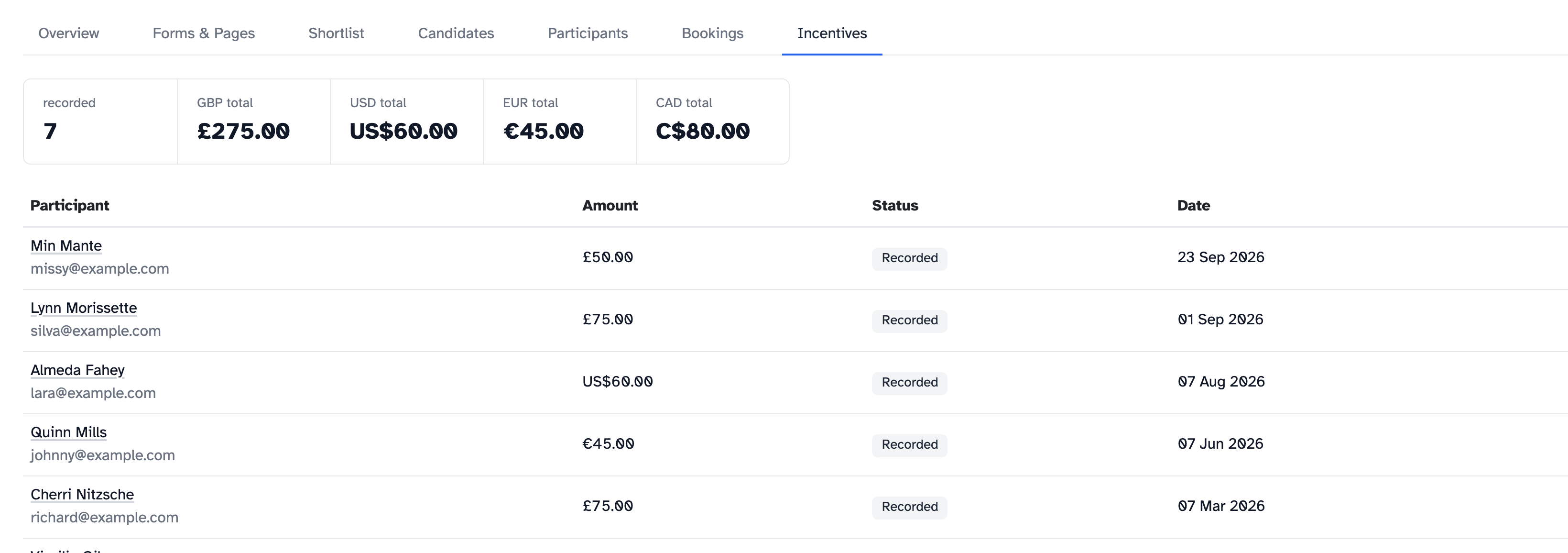
Each study also has an Incentives tab. It shows how many incentives have been recorded, the total for each currency and who they’re for.
One report across your organisation
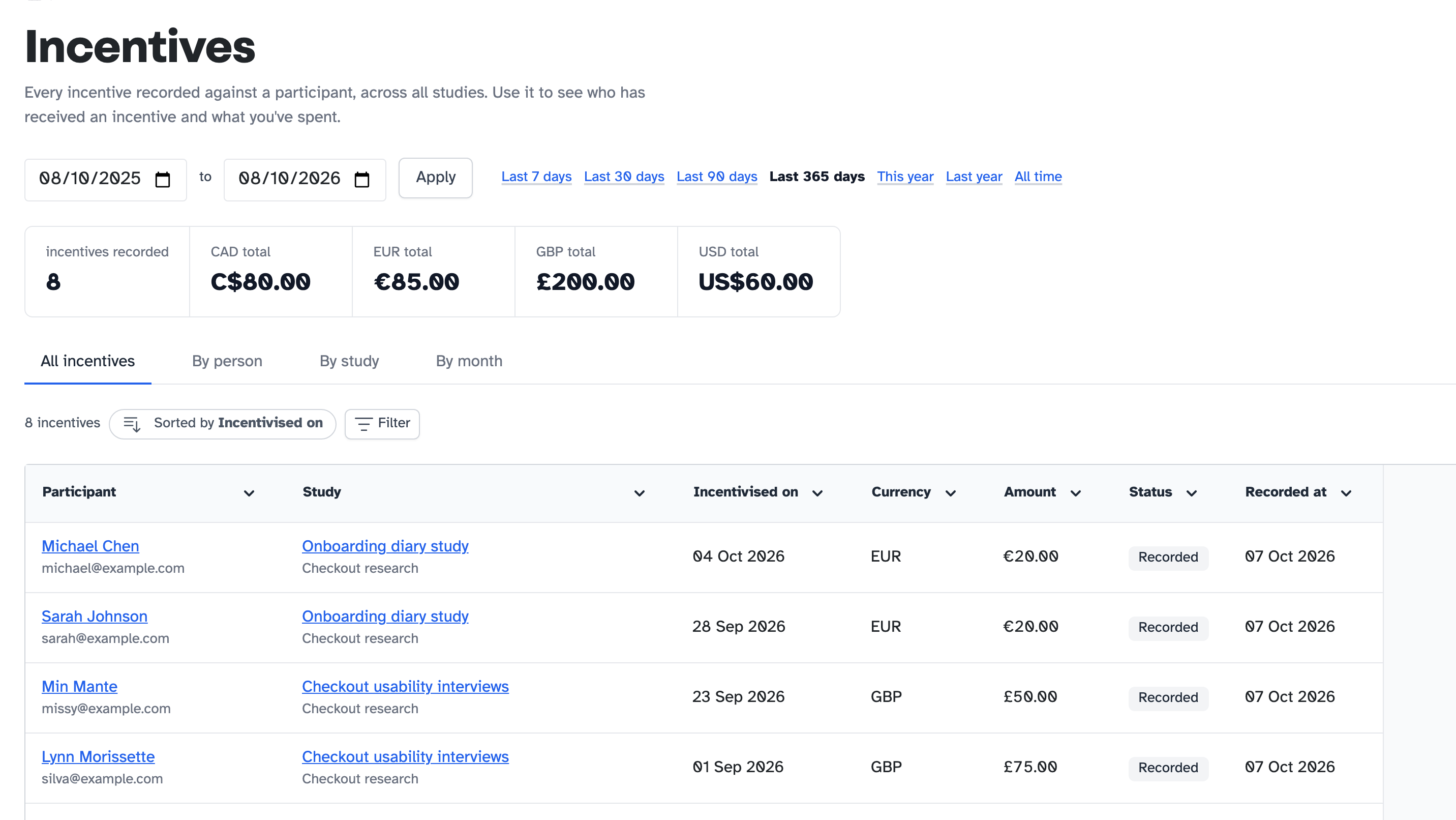
Organisation admins can see every incentive from every study in one place. Go to Admin dashboard, then Incentives. Choose your dates and look at the totals by person, study or month. Then click Export CSV to send the figures on.
Help articles
New to Participant Kit? Book a call and we’ll show you round.