
Name questions, moving questions and other form improvements
Friday Drop
Friday Drop 006. Ask for names the way people actually use them, move questions between pages without breaking your branching and other form features you might have missed.
Friday Drop, batch 006. This week is a roundup of improvements to forms. Some are new, and some have been around for a while but not everyone has found them.
Ask for names the way people use them
Names don’t work the same way everywhere. Some people put their family name first, and some don’t have a “first name” and a “last name” at all.
One box for someone’s whole name suits every name, and it’s still the default. If you need the parts separately, the name question on your sign-up forms and screeners can now ask for a first name and a last name instead. The last name is optional unless you make it required, so people with only one name aren’t stuck. To switch it on, open the name question’s settings (the cog) and choose Two questions.
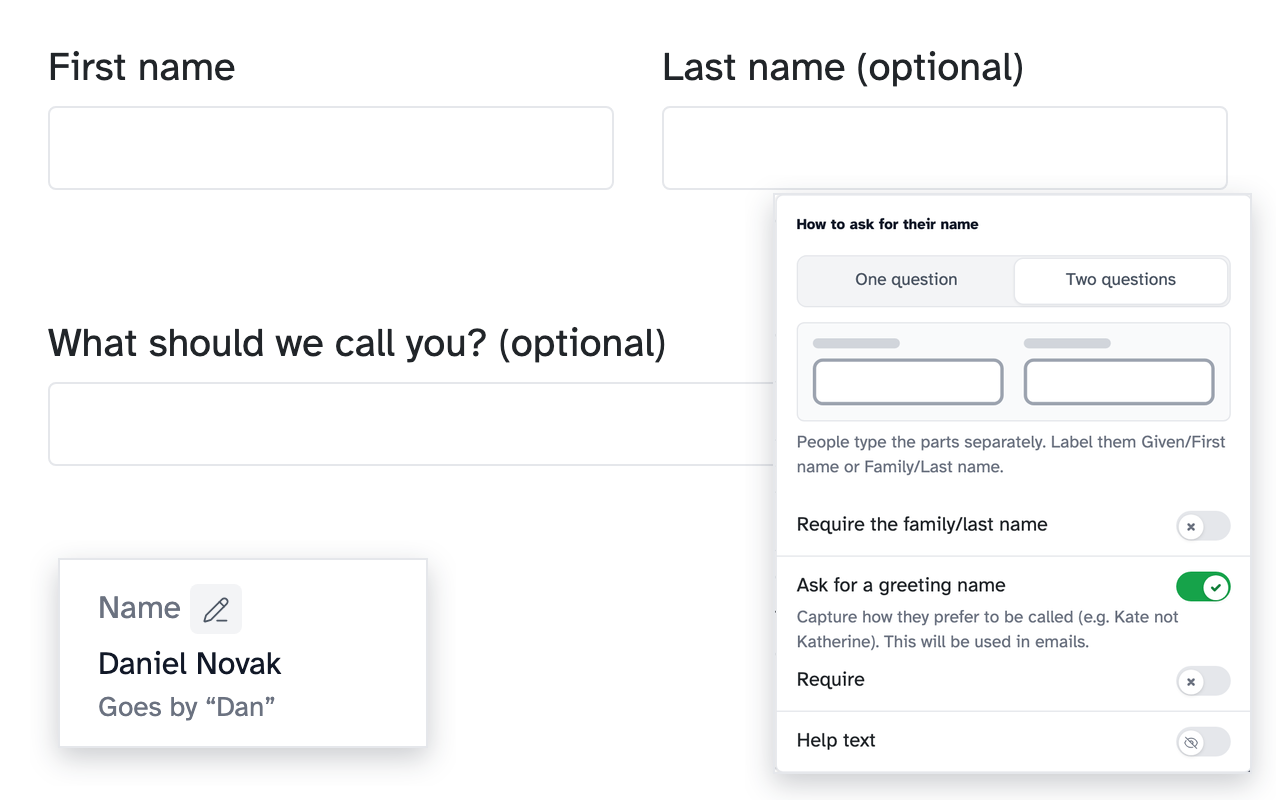
You can also ask what people like to be called, so if Daniel goes by Dan, you’ll know. Confirmation emails then greet him as Dan, and you can use it in your own emails too.
Move questions between pages
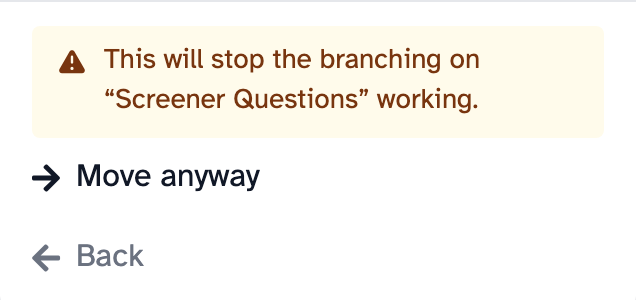
Moving a question to another page could break your branching, so until now we didn’t let you. Now the form builder checks your branching rules as you work, which means you can.
Open a question’s … menu and choose Move to…. If a move would stop a rule working, the builder tells you before anything happens. It also points out rules that can’t work any more, like one that uses a question you’ve deleted, and tells you how to fix them. And if you forget to replace placeholder text, like “[Organisation]” in a new form, it tells you that too.
“Other” and “None of the above”
A list of answers rarely covers everyone. “Other” and “None of the above” are the standard fix, and good forms use them. They’ve been in the form builder for a while, but they’re easy to miss.
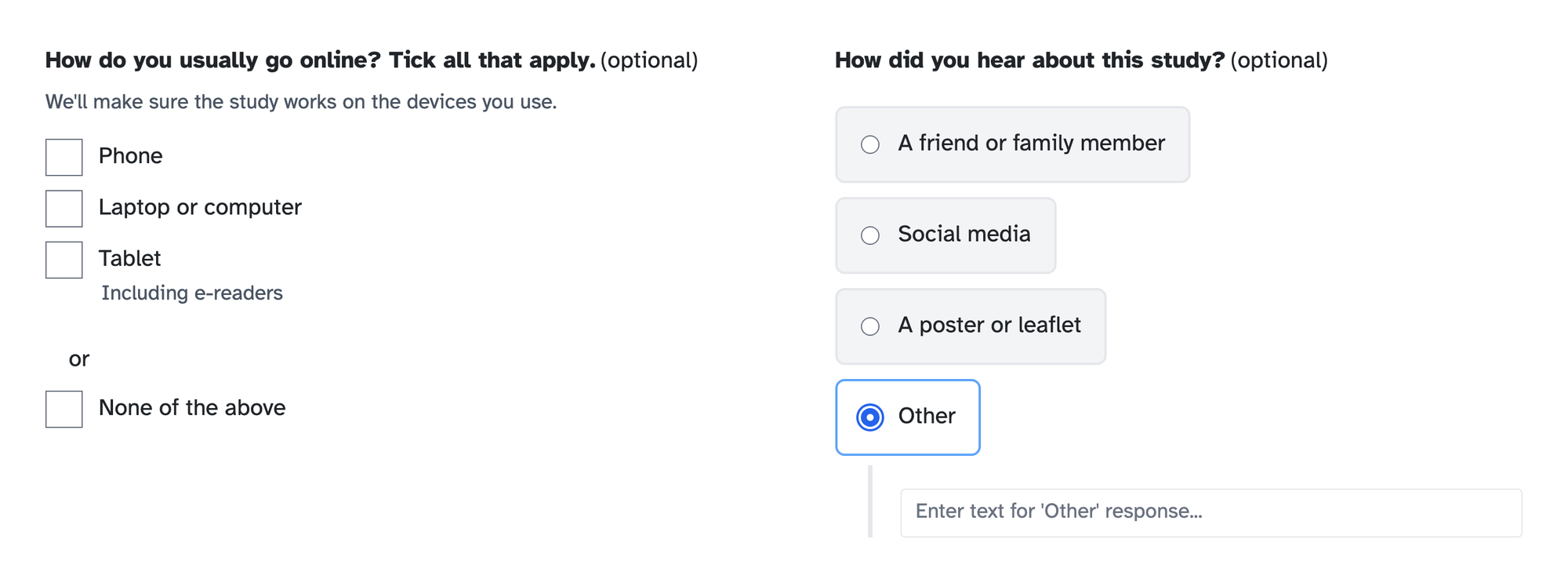
“Other” lets someone who doesn’t fit your list tell you what does apply, instead of picking the nearest wrong answer. You’ll also find out about answers you didn’t think to list. “None of the above” gives people an honest way out, and you can rename it to “Prefer not to say” on sensitive questions.
To add one, open a checkbox or single choice question and click Add “Other” option or Add “Or” option.
- The “Or” option starts as “None of the above”. You can change the wording of either.
- On a checkbox question, ticking “None of the above” clears the person’s other ticks.
- A question can have one or the other, not both.
Help text on questions and individual answers
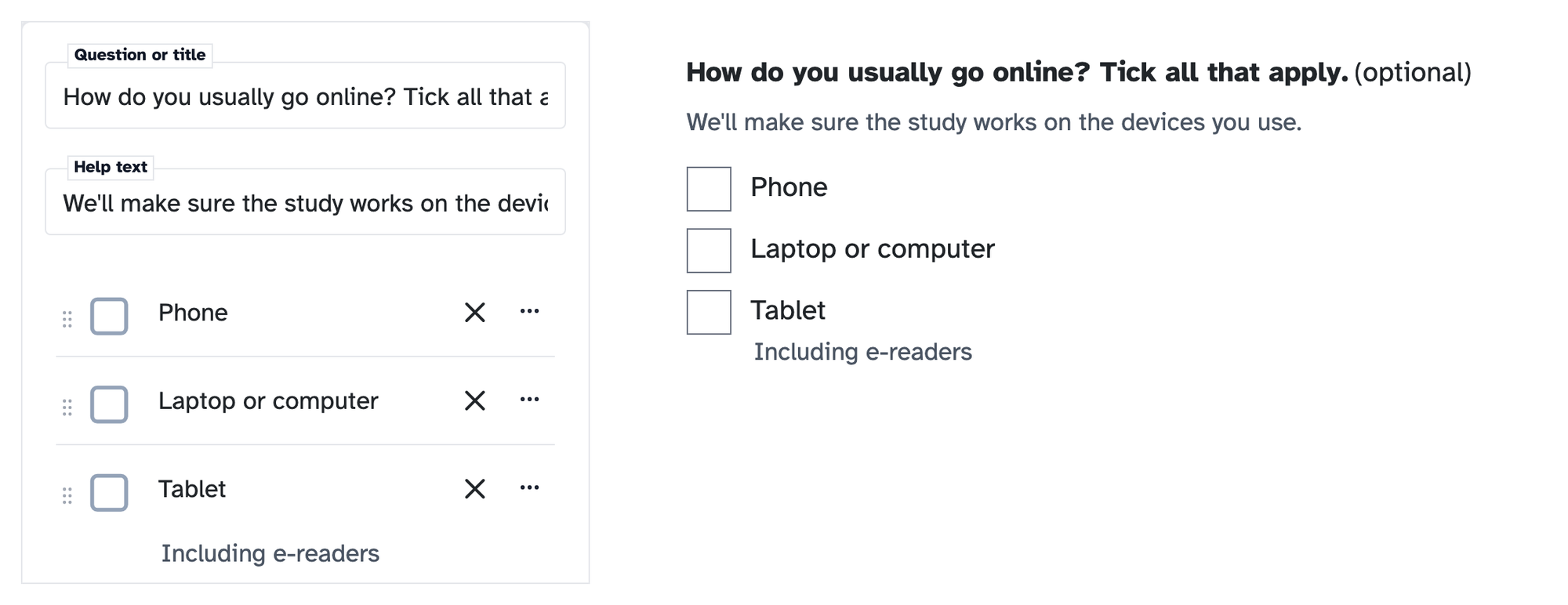
You probably add help text to questions already. You can add it to individual answers too, which is easy to miss. It’s handy when one answer needs a word of explanation, like “Including e-readers” under “Tablet”, so people pick the right one instead of guessing.
- For a whole question, open the question’s … menu and switch on Help text.
- For one answer, open that answer’s … menu and click Add help text.
Number questions
If an answer should be a number, like how many people live in someone’s home, use a Number question rather than a short answer. People can only type a number, so you get answers you can compare, not “two or three” to tidy up later. Choose Number when you add a new form block.
Help articles
- Asking for someone’s name on a form
- Moving questions and fixing branching warnings
- Adding questions to your form, a short video that includes the “Other” and “Or” options
New to Participant Kit? Book a call and we’ll show you round.