
Messaging participants: see every email before it sends, and broadcasts
Friday Drop
Friday Drop 004. Preview each participant's email side by side before you send, reuse messages you've already sent and email your whole panel with broadcasts.
Friday Drop, batch 004. This week is all about sending messages to participants. Pressing send is a nervous moment, which is why so many of you send yourselves a test first. So we’ve rebuilt the composer around seeing exactly what each person will get.
I really like being able to click to send them the same message I sent previously invited participants, and the message preview on the side is very nice too.
Participant Kit customer - Lead Researcher at EdTech company.
See what each person gets
Select the participants you want to message and click Message. On a wide screen, the preview sits beside your message. On a smaller one, it’s a tab.
Switch between recipients at the top of the preview and it updates with their details filled in. Add the greeting name, and Sarah sees “Hi Sarah” while Michael, who told us he prefers Mike, sees “Hi Mike”. Greeting names are new: your forms can now ask people what they’d like to be called. You find out what the personalisation looks like before anyone gets it, not after.
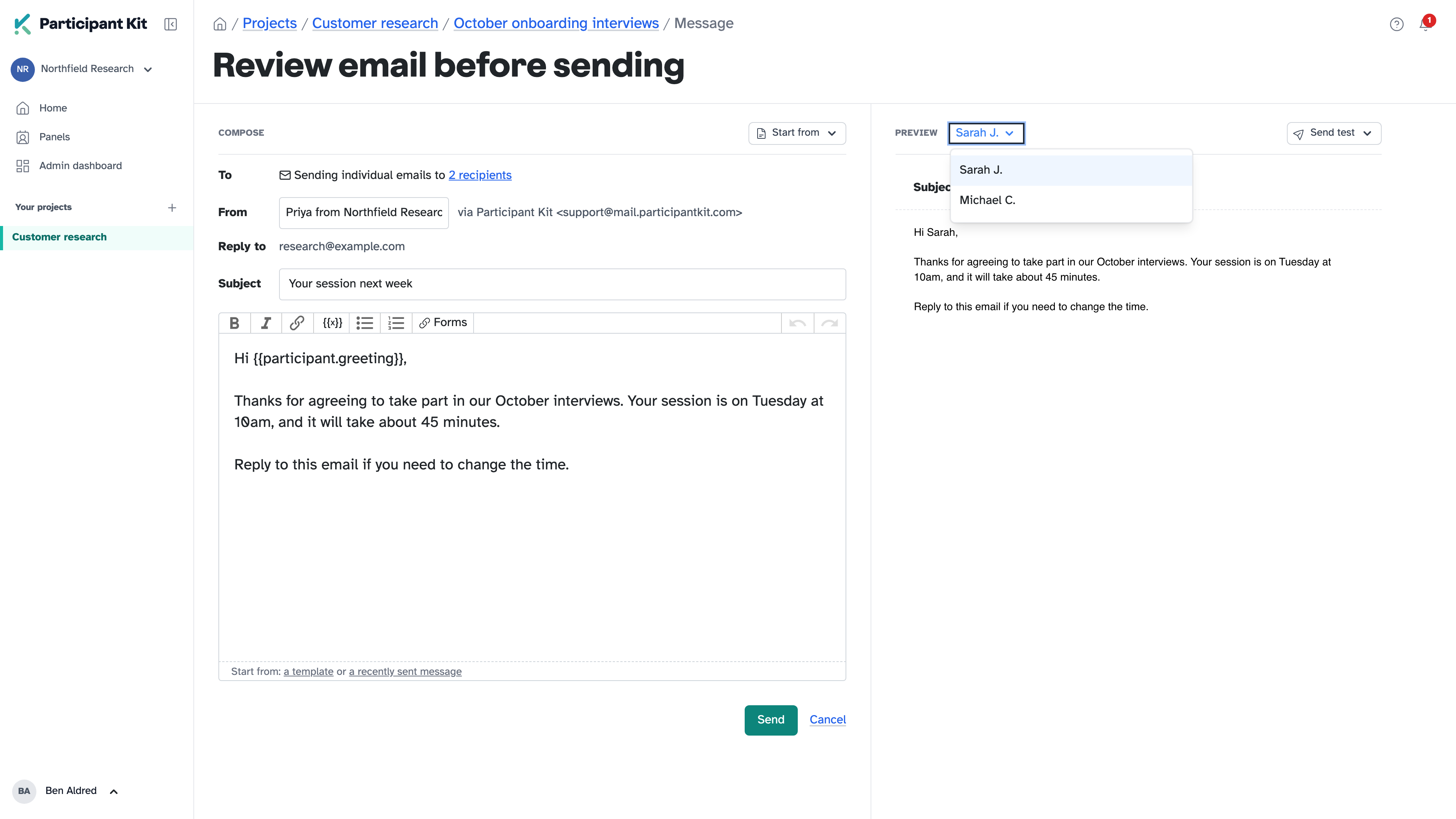
You can still send yourself a test to see how it looks in your inbox.
When you send, each person’s last contacted date updates, and the email appears in their activity feed.
Reuse a message you’ve already sent
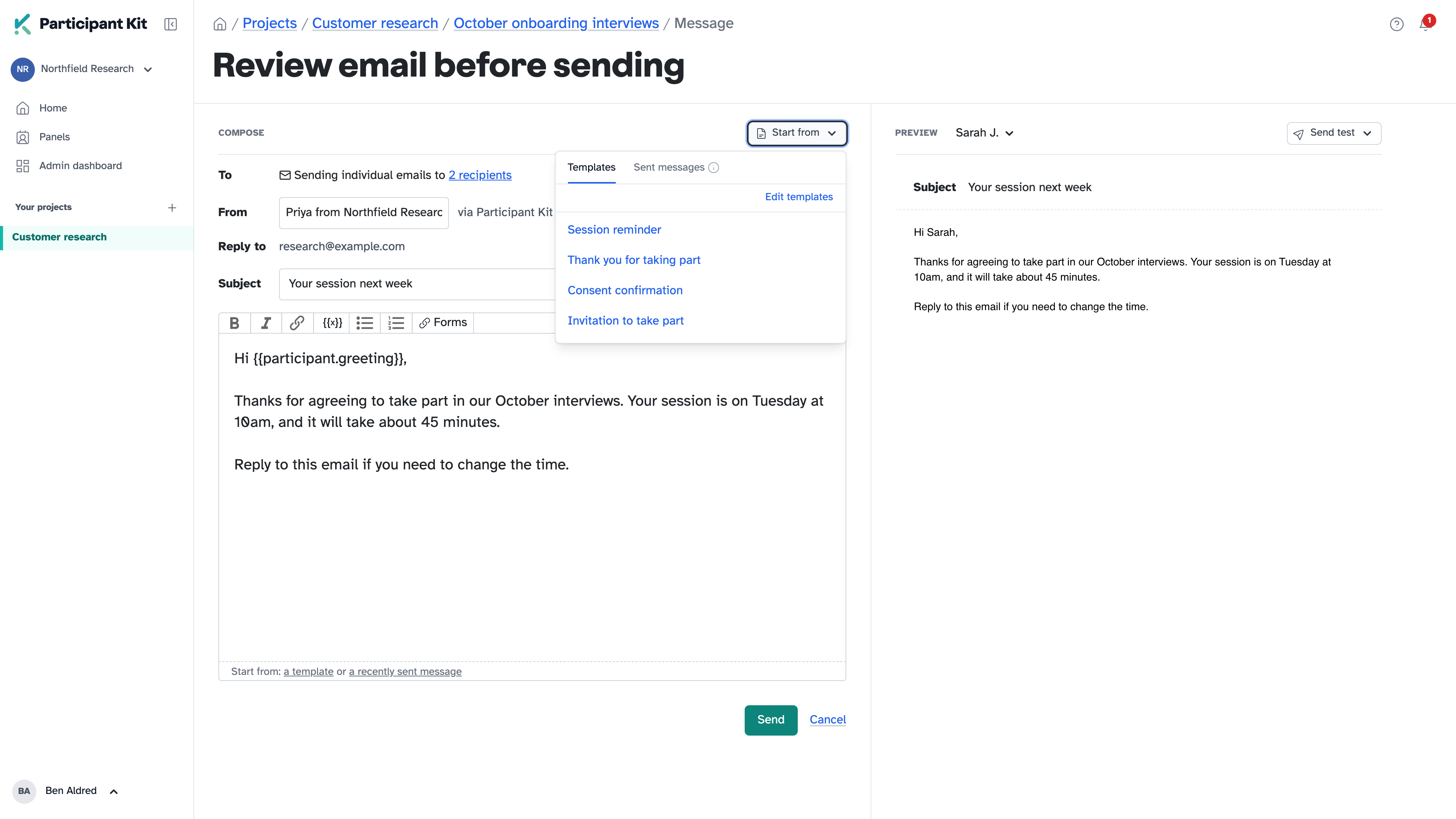
Start from, top right, has your organisation’s templates and the last 10 messages you’ve sent in the study. If you’re inviting people in waves, send the second group the same message you sent the first.
Email your whole panel with broadcasts
While we’re on the subject of sending emails: you can also email your whole panel, and you have been able to for a while. We just never told you. That’s exactly why the Friday Drop exists.
Messaging participants is for the people in a study. A broadcast is for everyone on your panel, or a filtered group of them, when you have something to say that isn’t an invitation to research:
- an announcement, like thanking your panel and sharing what their feedback changed this year
- a policy update, like a change to your privacy notice or how long you keep their data
- a short survey, with a link to a few questions in your own survey tool
Each person still gets their own email with their greeting name filled in, and nobody’s address is shared with anyone else.
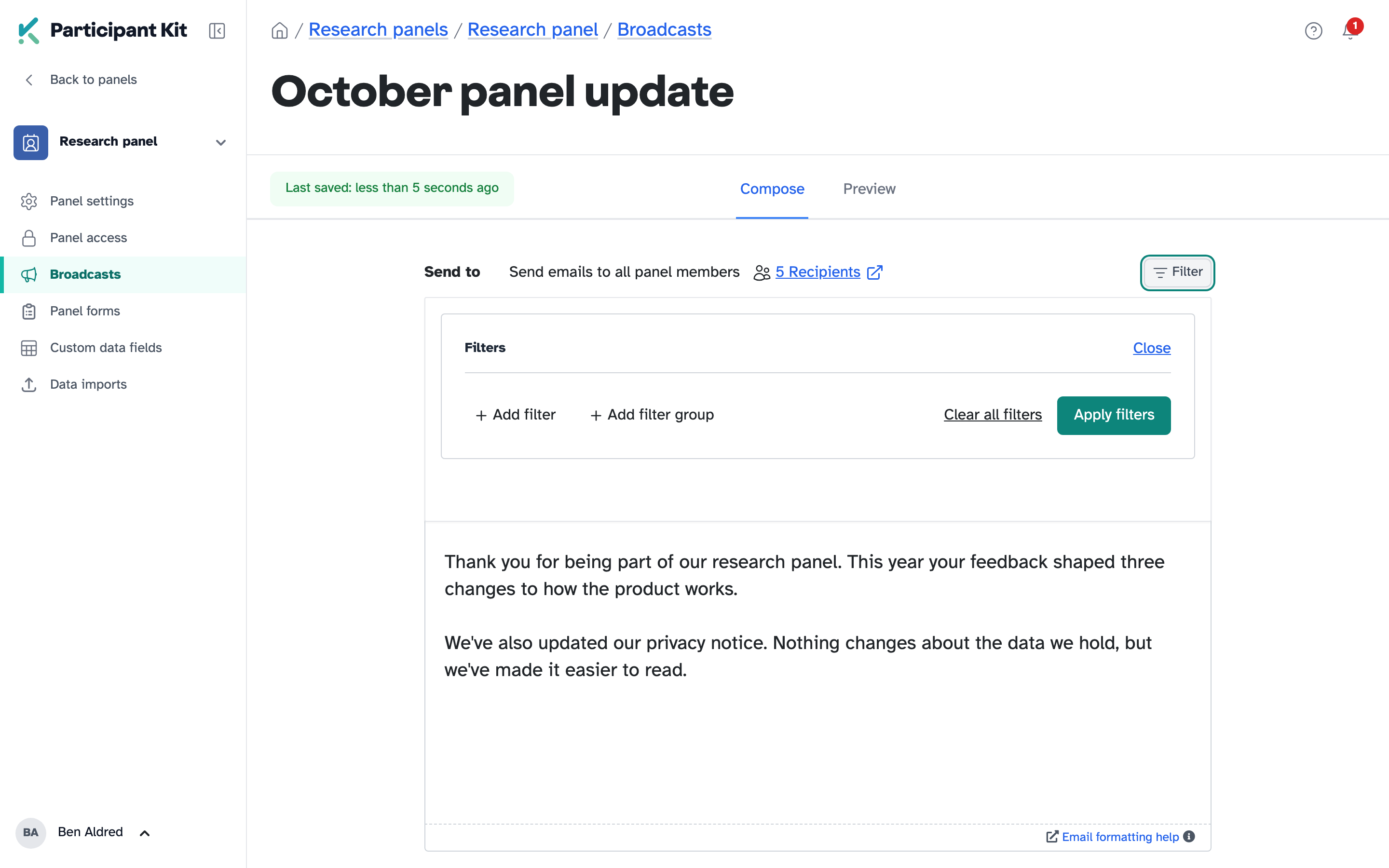
Preview it as any of your panellists, send yourself a test, then send. Larger broadcasts go out in batches so they don’t trip spam filters, and every broadcast has a footer so people can withdraw from the panel or opt out. Afterwards, filter your panel for people a broadcast wasn’t sent to, and follow up with just them.
Broadcasts are for organisation admins. They’re under Broadcasts on any panel.
Also this week
On Tuesday we released a way to record contact you make outside Participant Kit, so a participant’s last contacted date stays accurate when you email them from your own inbox.
Help articles
New to Participant Kit? Book a call and we’ll show you round.